How to set up Hotjar heatmaps and visitors recordings
In the world of data, you are too lucky to take advantage of analytic opportunities. You are as a business owner can gather different sort of data, analyze it and make proper decisions that influence your gain. Luckily for us, there is a lot of tools and services that allow operating this massive data. This is cool because the more information you can gather about your visitors when they’re on your website, the more you can potentially increase conversion, leading to a successful website and business. We have already talk about Google Analytics, another analytic assistant is Hotjar. It differs from Google product with heatmaps and visitors recordings that allow you to measure user engagement almost instantly. You can see what page elements users are clicking on and interacting with the most. Then you can use that information to test and modify your designs to get users clicking what you want.
Lots of folks have already appreciated Hotjar, frankly speaking we are also a big fan of it, before jumping to technical details you may take a look at what other people are saying about this service. For example, blog post in Webdesignerdepot or David Potrell overview in his personal blog.
To set Hotjar code snippet to your store, please, go through the following steps:
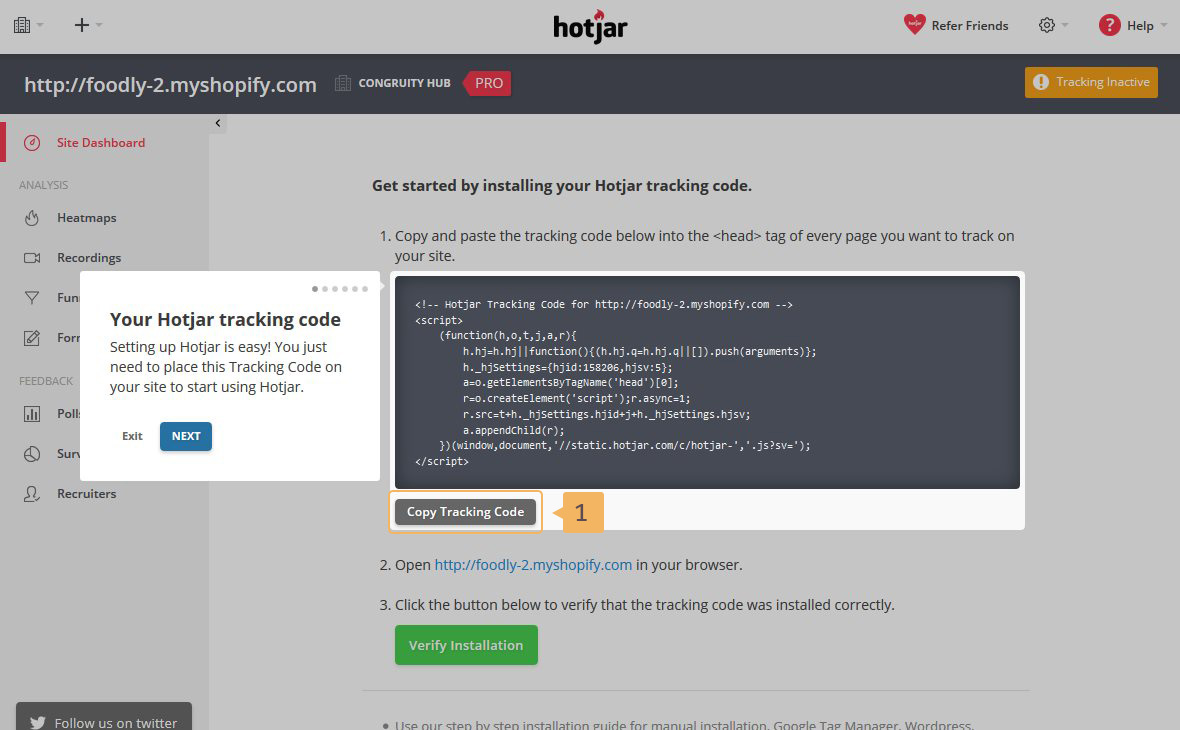
- Create your Hotjar account.
- Copy 'Tracking code' (Fig. 1.18 - [ 1 ]).
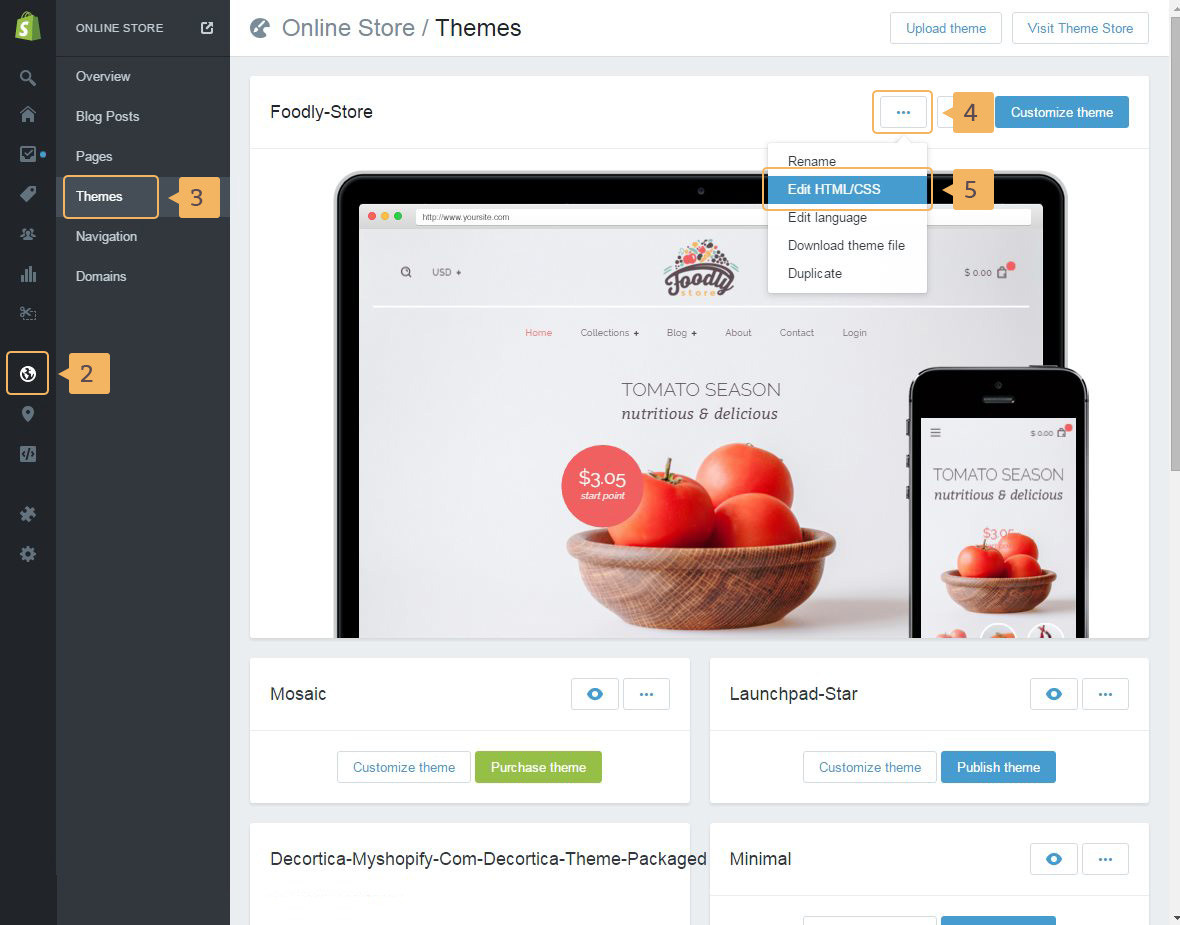
- Open the page with 'Themes' in your Shopify admin panel: 'Online store' (Fig. 1.19 - [ 2 ]) > 'Themes' (Fig. 1.19 - [ 3 ]).
- Open 'Theme editor': open additional menu (click on the button with three dots Fig. 1.19 - [ 4 ]) and then click 'Edit HTML/CSS' (Fig. 1.19 - [ 5 ]).
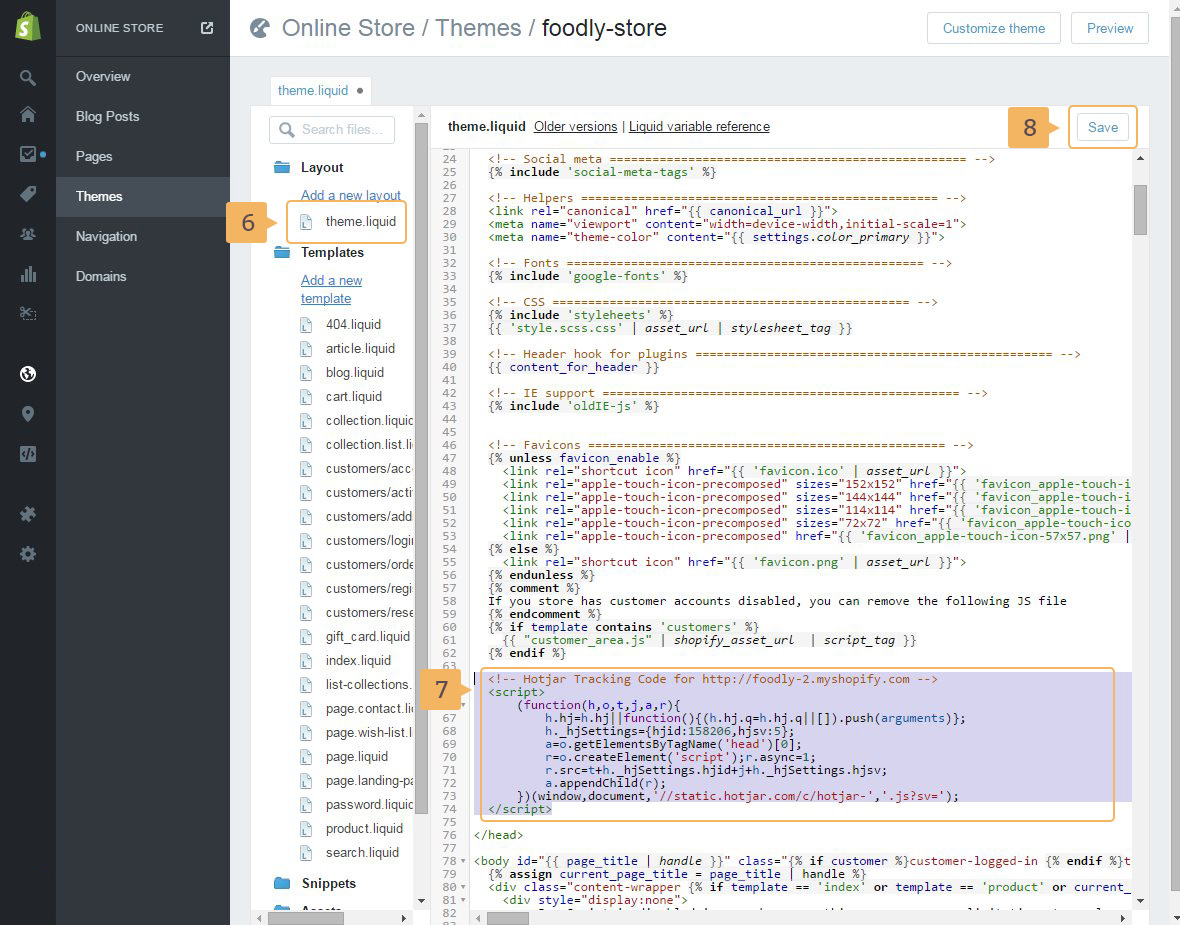
- In the left sidebar of 'Theme editor' choose
theme.liquidlayout file (Fig. 1.20 - [ 6 ]). - Paste 'Tracking code' from step 2 before closed
headtag (Fig. 1.20 - [ 7 ]). - Save the file (Fig. 1.20 - [ 8 ]).
Now you can check how users behave in store, what they are doing, what they are attacted with the most visiting your Hotjar account