Blog Sorting
Start from version 1.1 Foodly has sorting function for blog articles. It's helps quickly find an interested articles. Especially, the sorting helps customers to find recipes for products that they had just bought. It is key to creating a great shopping experience.
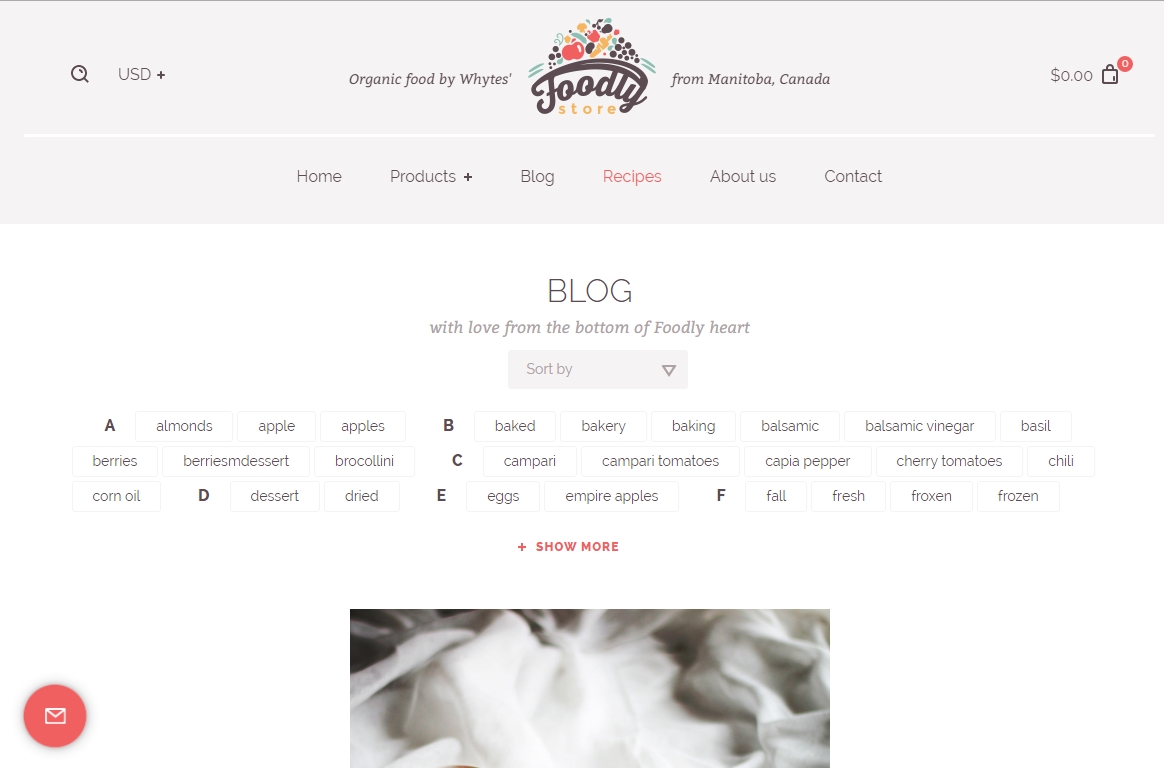
The articles can be sorted by the date, alphabetically and by tags. The sorting elements in Blog page has look as in Figure 6.17. Before start using this functionality you should get API credentials.
To get API credentials and customize blog sorting, please go through the following steps:
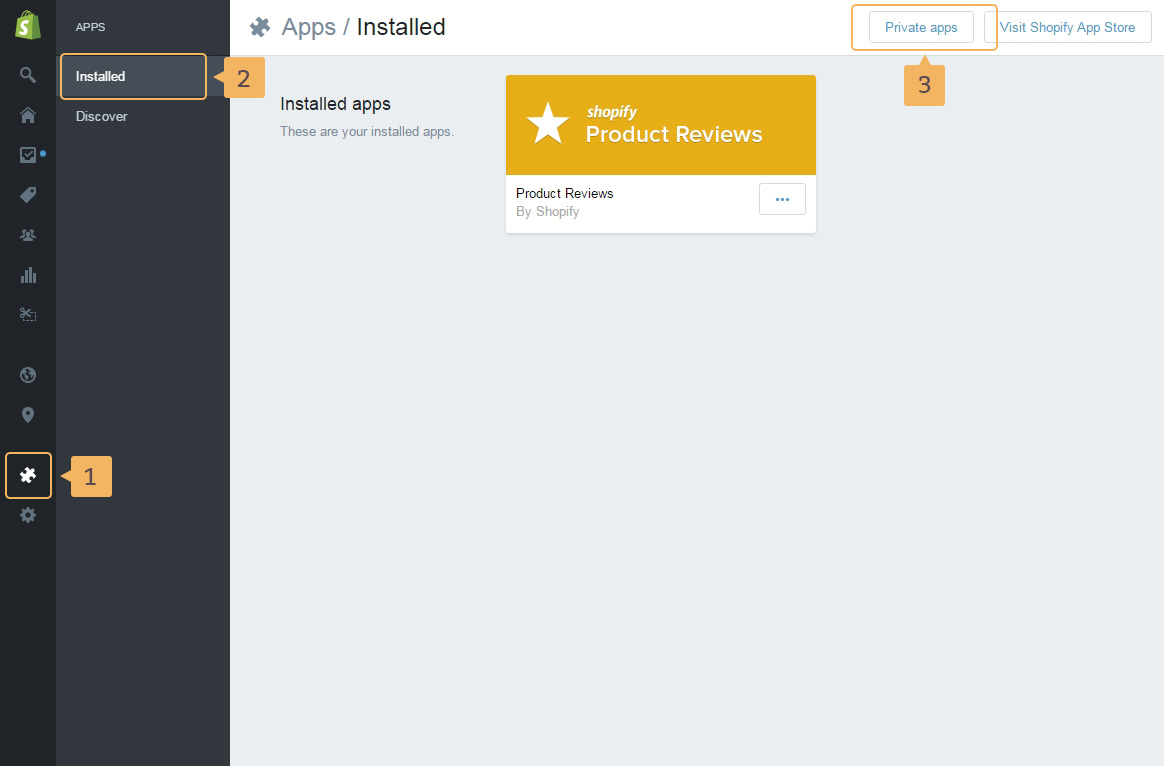
- Open page with "Private apps": 'Apps' (Fig. 6.18 - [ 1 ]) > 'Installed' (Fig. 6.18 - [ 2 ]) > 'Private apps' (Fig. 6.18 - [ 3 ]).
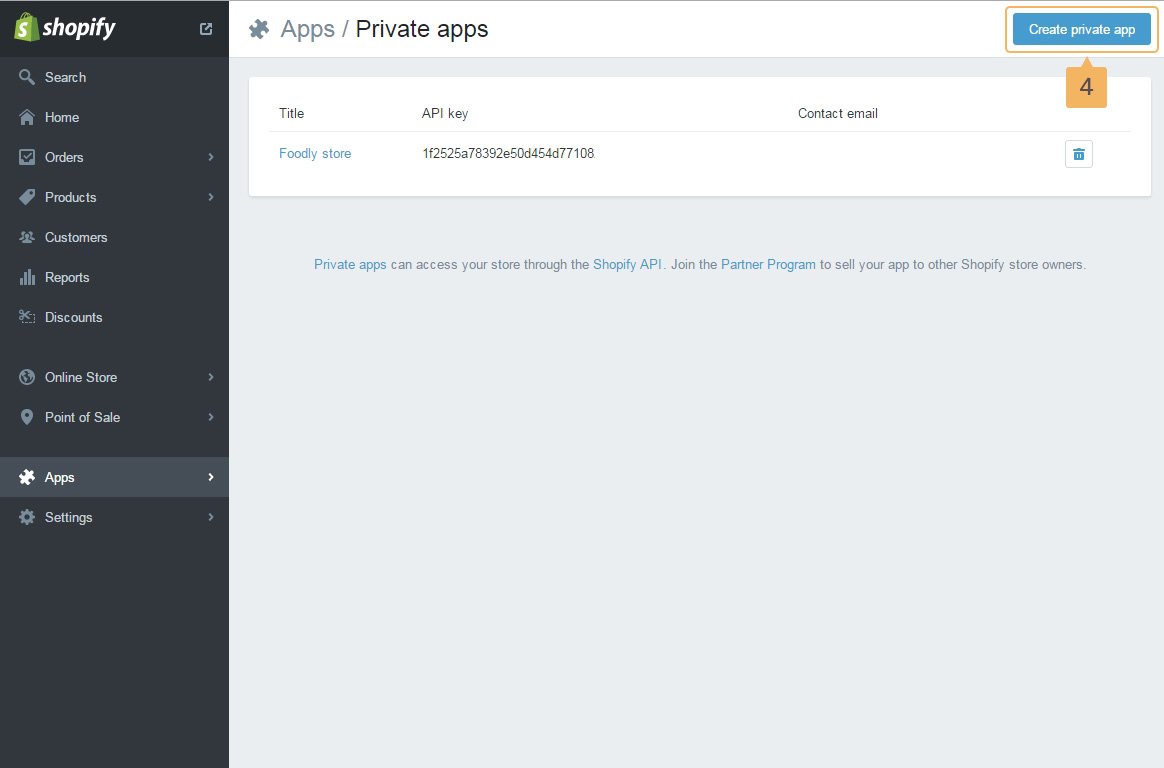
- To create new private APP click 'Create private app' button (Fig. 6.19 - [ 4 ]).
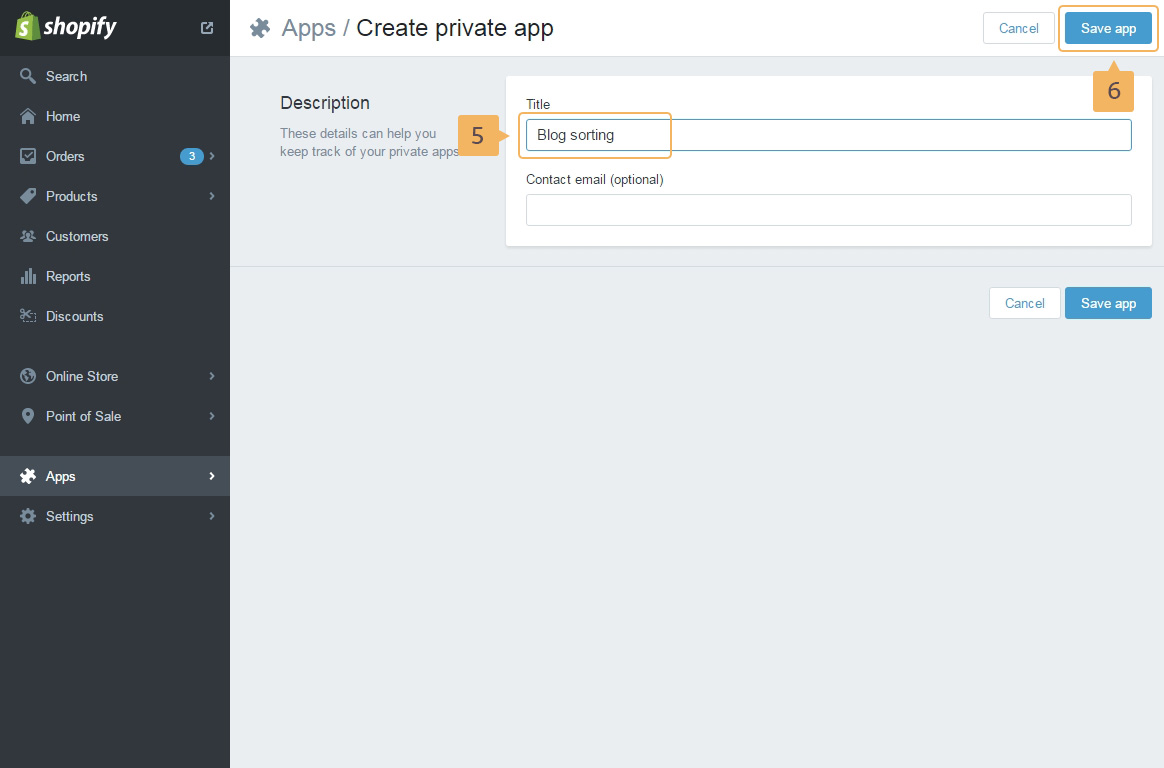
- Type the title for App (Fig. 6.20 - [ 5 ]) and save app (Fig. 6.20 - [ 6 ]).
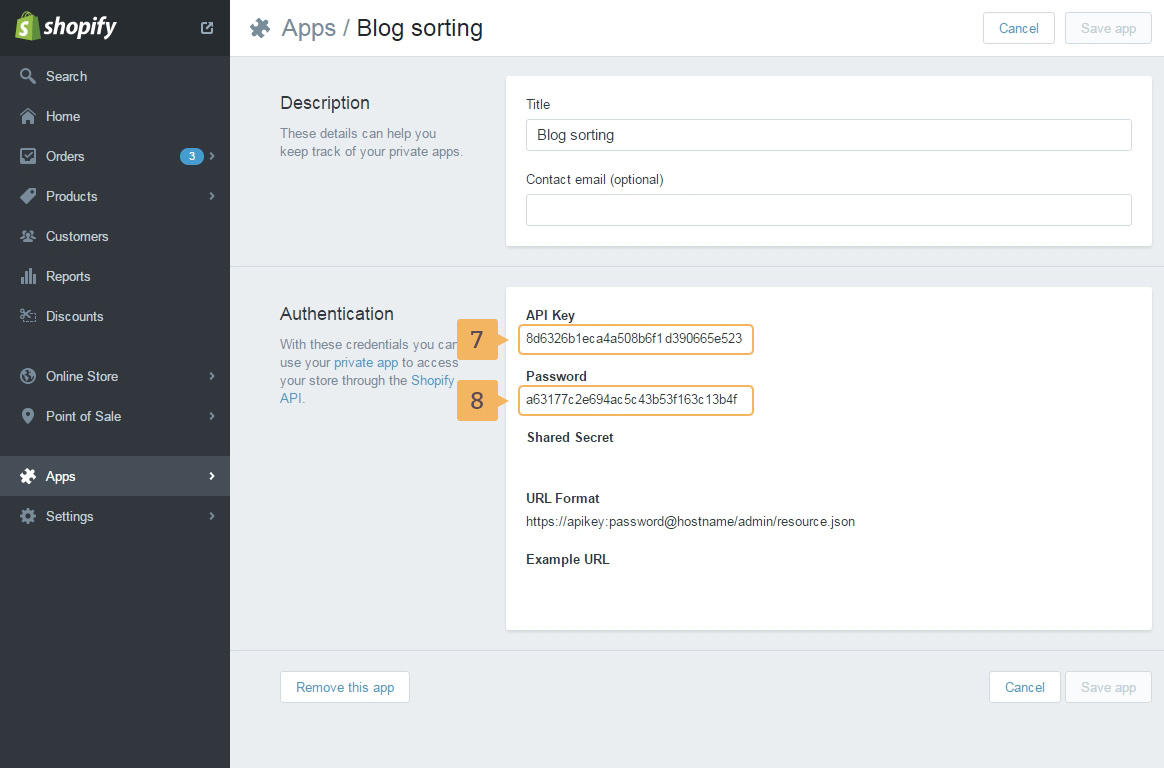
- On the next page copy API Key (Fig. 6.21 - [ 7 ]) and Password (Fig. 6.21 - [ 8 ]). They will be needed in the future.
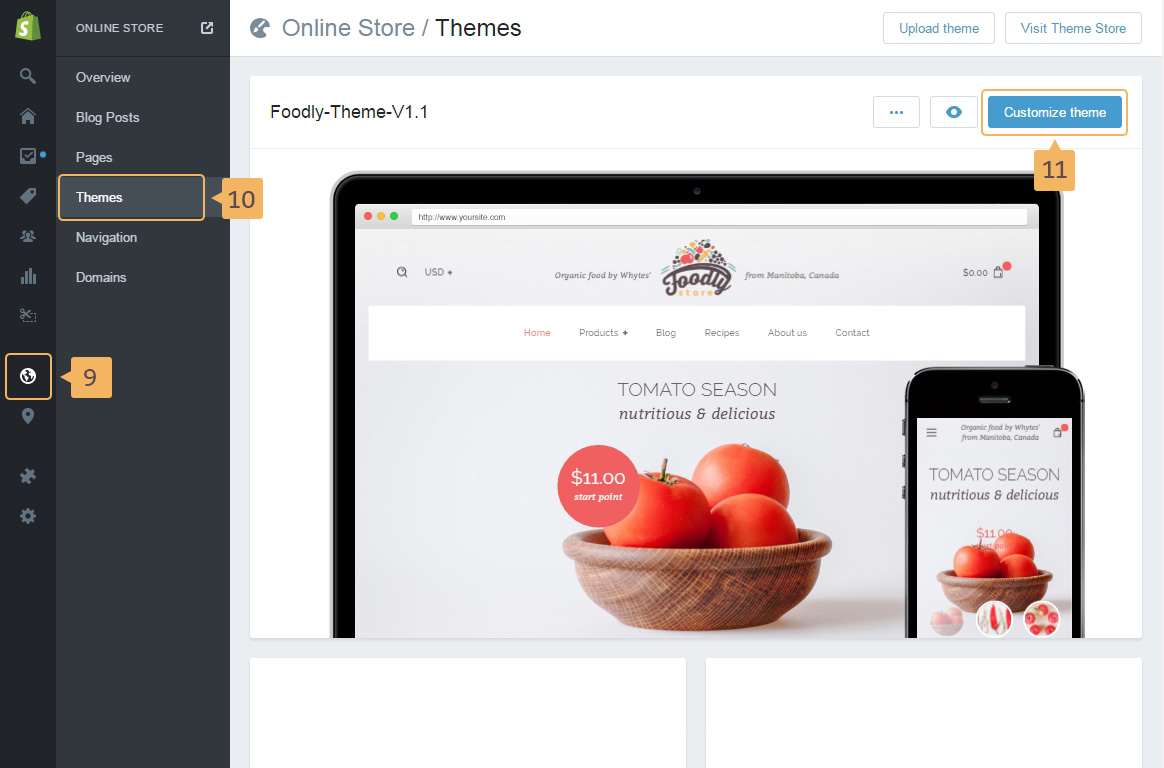
- Next, open 'Theme customize' page: 'Online store' (Fig. 6.22 - [ 9 ]) > 'Themes' (Fig. 6.22 - [ 10 ]) > 'Customize theme' (Fig. 6.22 - [ 11 ]).
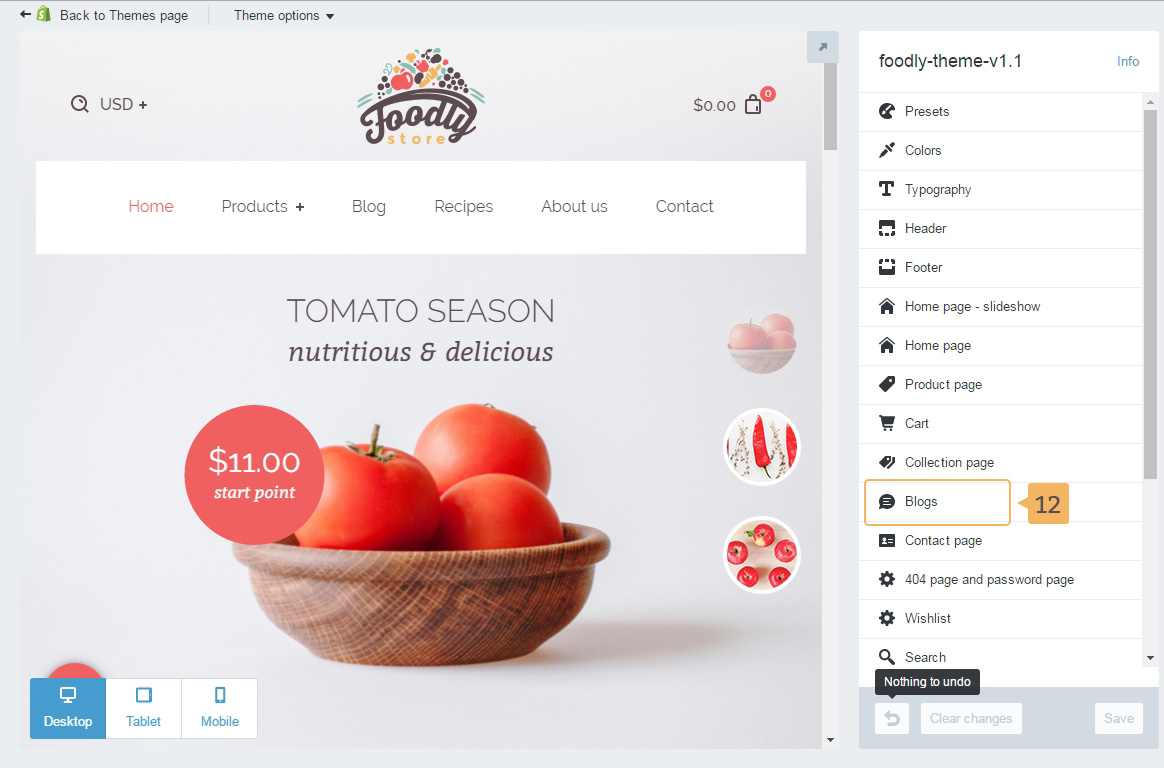
- Open 'Blog' settings (Fig. 6.23 - [ 12 ]).
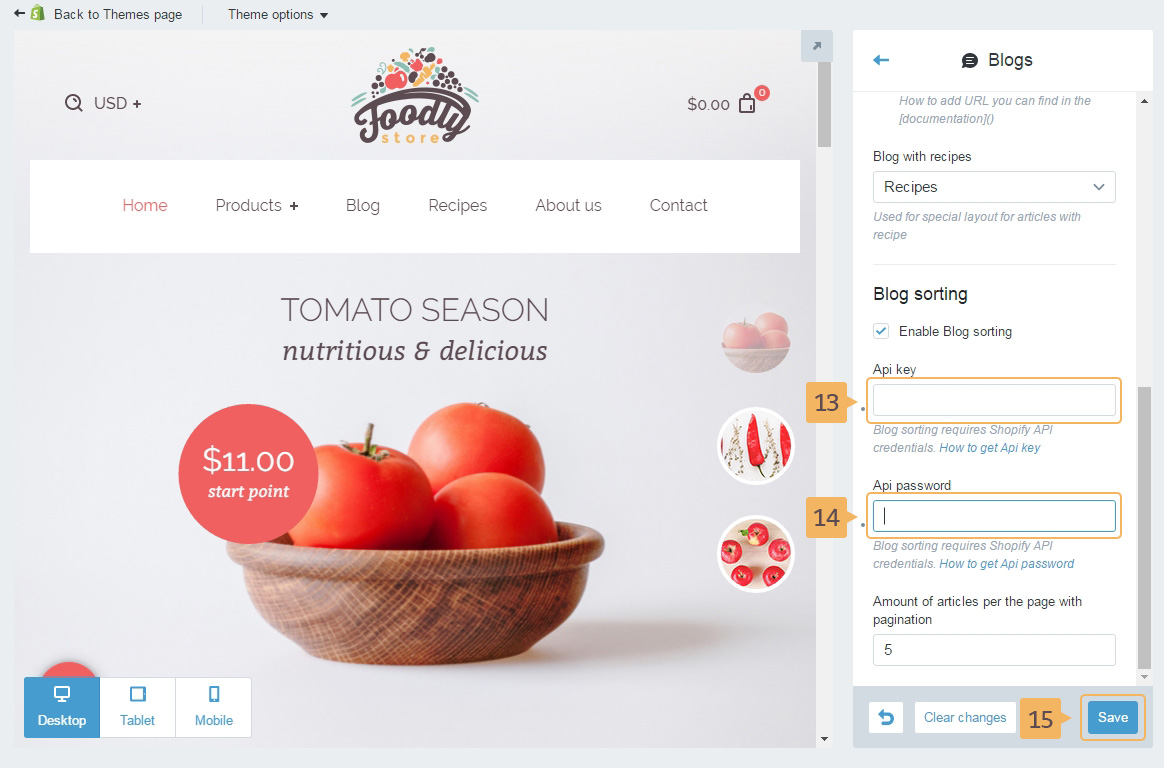
- Paste API key (Fig. 6.24 - [ 13 ]) and Password (Fig. 6.24 - [ 14 ]) which were copied in the step 4, in the text fields.
- Save customize settings (Fig. 6.24 - [ 15 ]).