Adding New Product to Store
To add a new product to your online store, please, go through the following steps:
- Log in into your Shopify admin panel
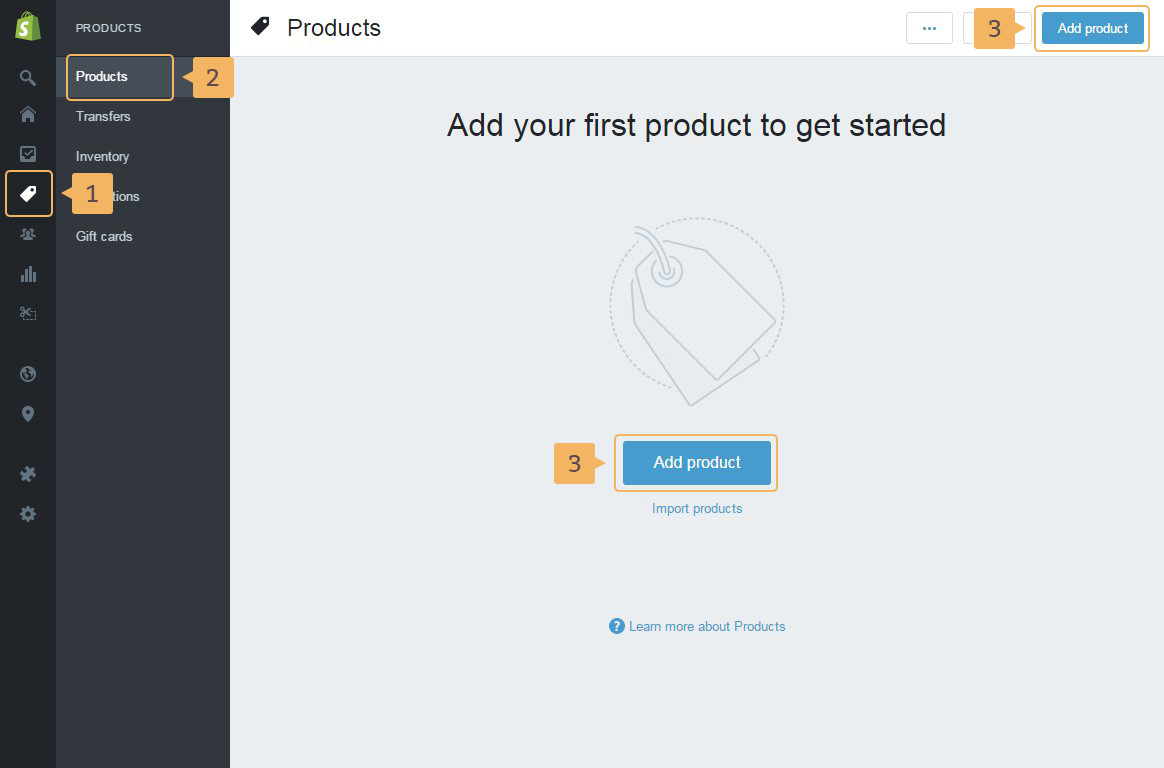
- To open page Products page in admin panel: click 'Products' in the sidebar menu of Shopify admin panel ( Fig. 3.1 - [ 1 ]) > 'Products' again in the second level menu( Fig. 3.1 - [ 2 ])
-
Add new product clicking on one of 'Add product' buttons in the upper right corner or in the center of the page(Fig. 3.1 - [ 3 ]).
Also, you can import products to your store using CSV file (Fig. 3.1 - [ 4 ]). More about import is in Shopify Manual
Very explicit instructions how to work with product in Shopify theme you can find in this Shopify help guide.
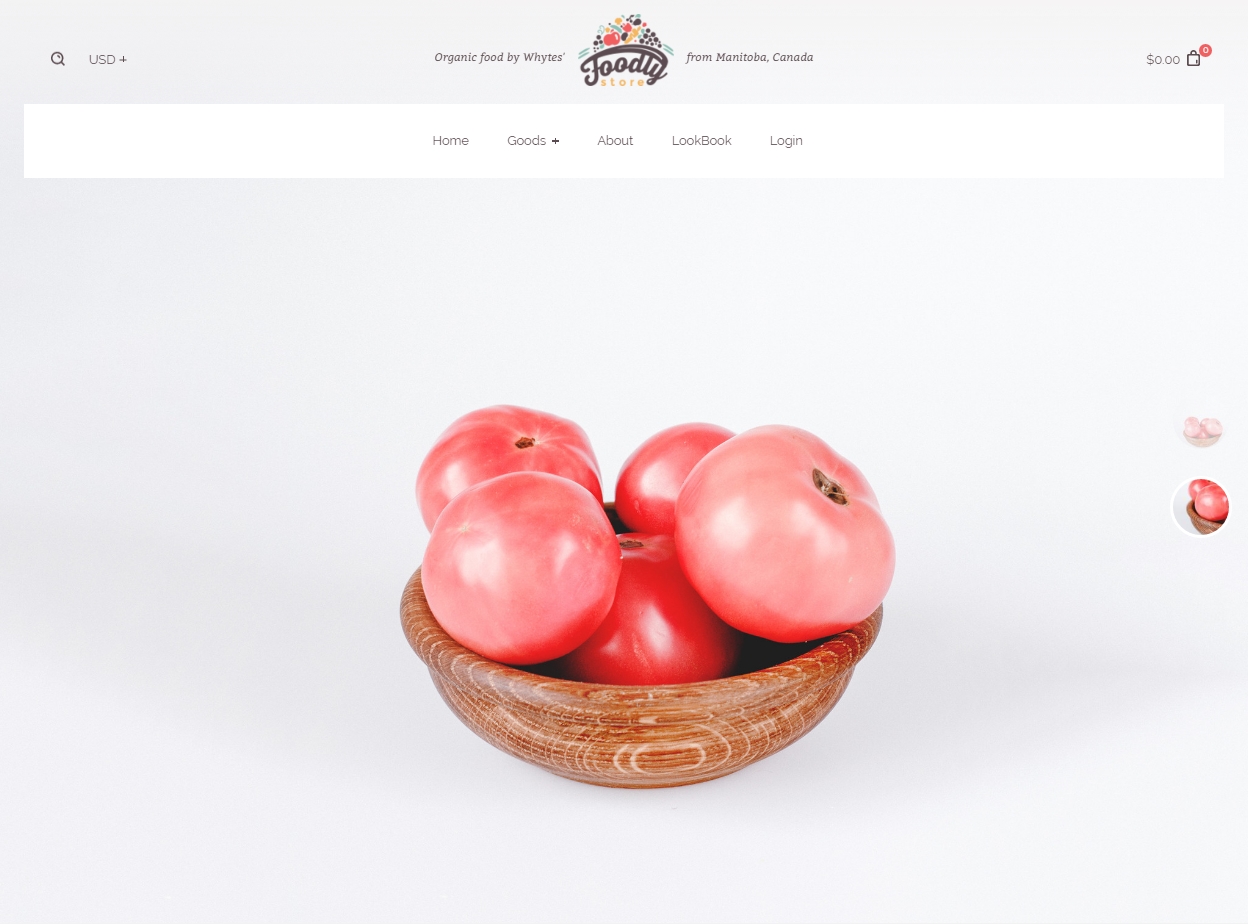
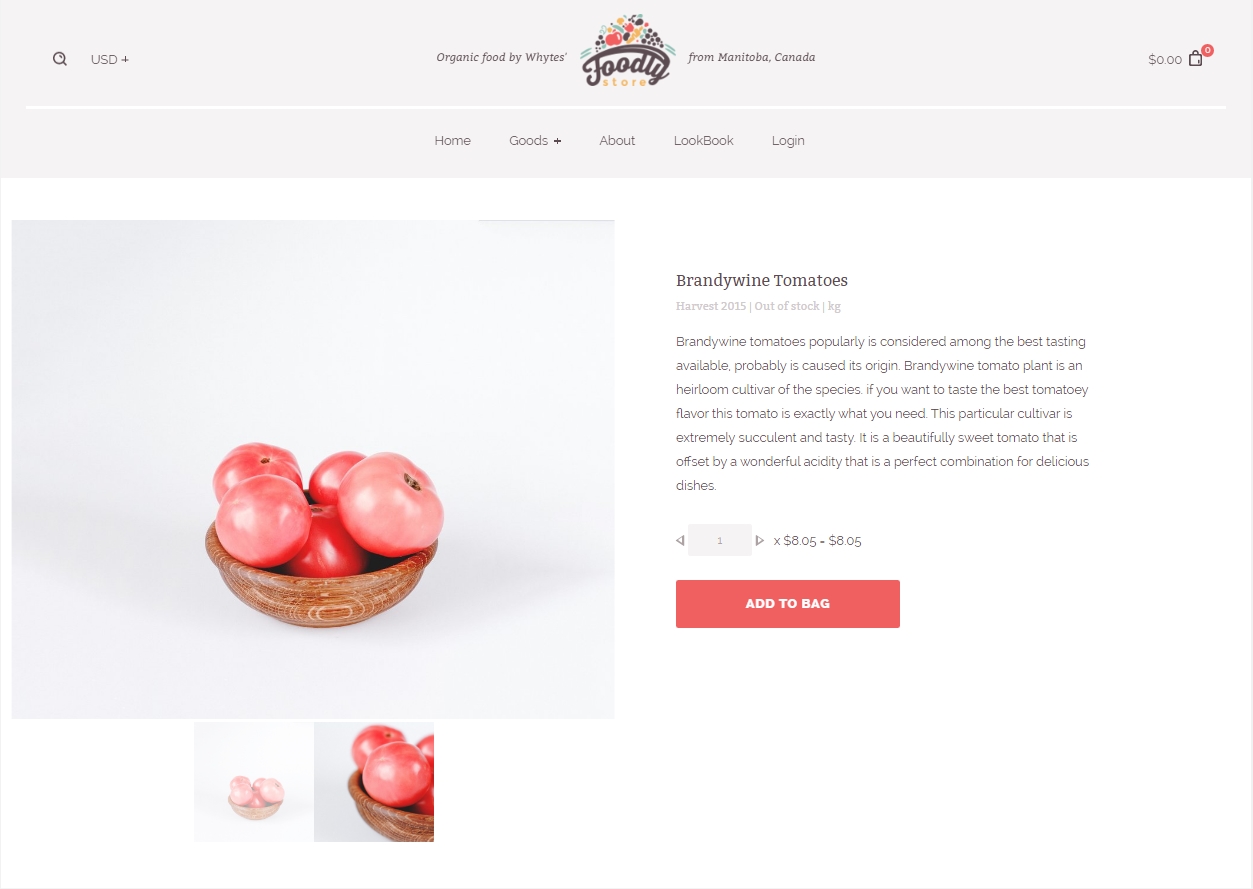
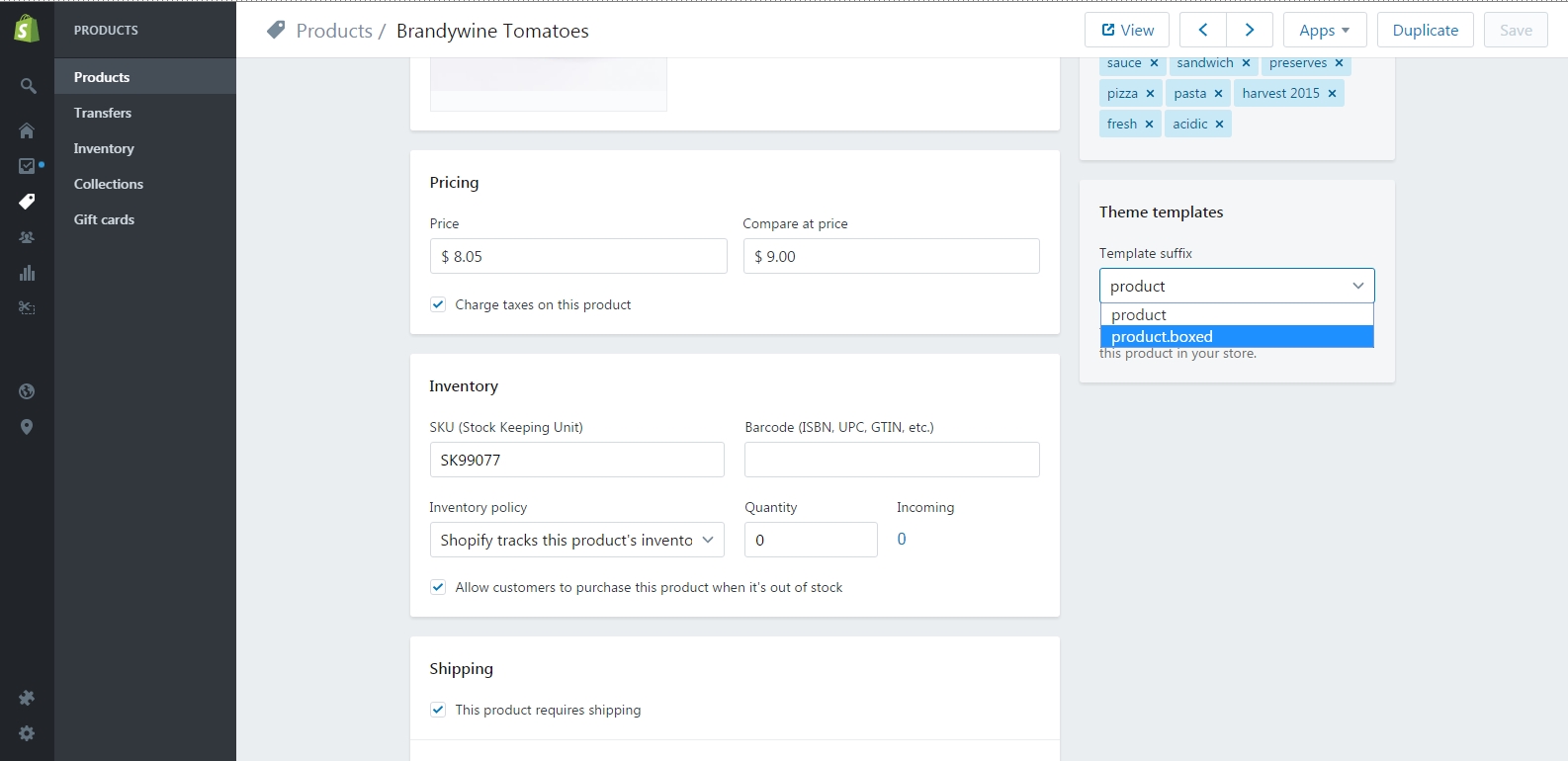
By default, the product page has view as on Fig. 3.3. But, Foodly Theme has an alternative view - boxed (Fig. 3.4). To apply this view - choose product.boxed template on the product page in your admin panel (Fig. 3.5).