Adding Slider to About Us Page
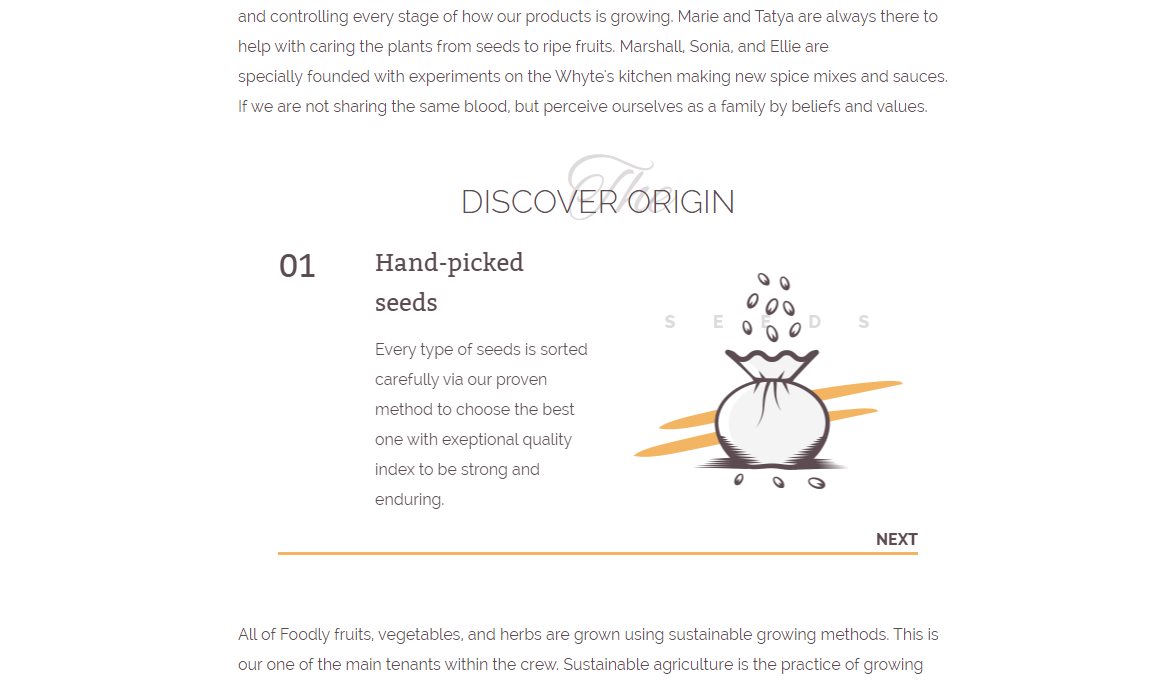
You can improve your story on the page 'About us' by adding the slider with either advantages and features, or the crusial stages of your production as Foodly theme has shown. The preview of this slider is in Figure 5.22. How to customize slider will be considered in Theme customization section. How to enable and use of the slider on 'About us' page is uncovered in the instruction below:
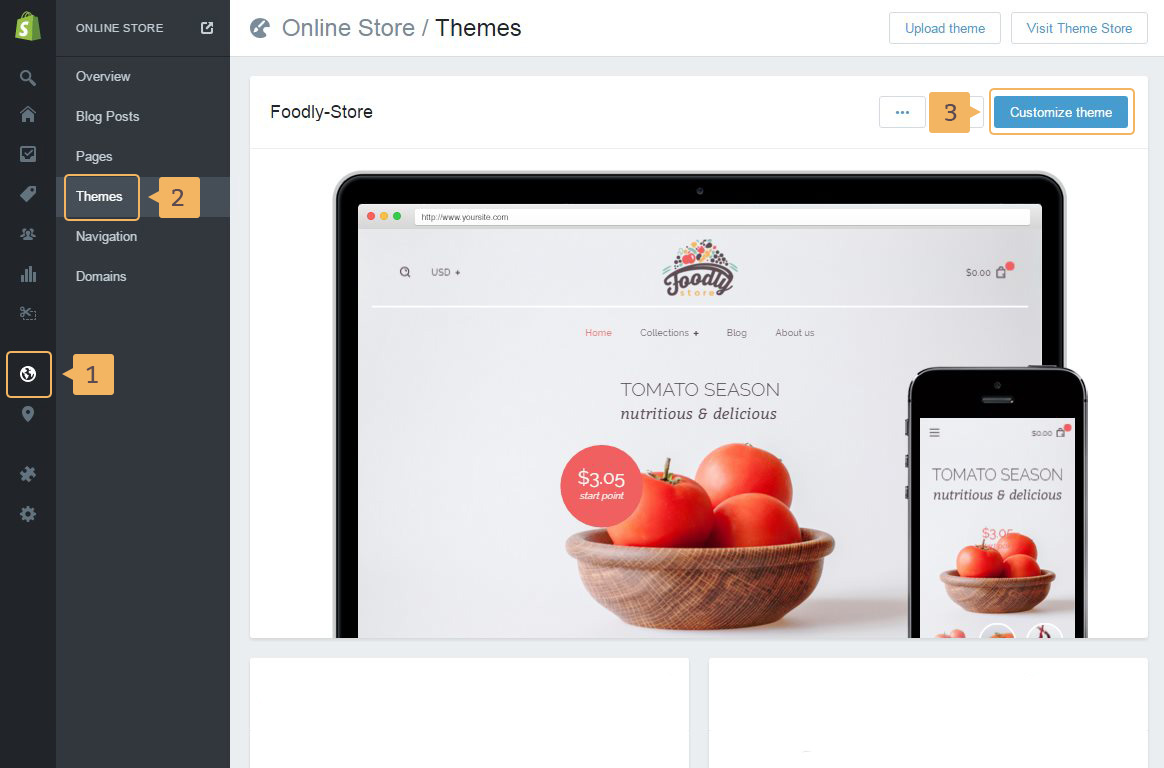
- To enable slider, open theme customization page: 'Online store'(Fig. 5.17 - [ 1 ]) > 'Themes' (Fig. 5.17 - [ 2 ]) > 'Customize theme' (Fig. 5.17 - [ 3 ])
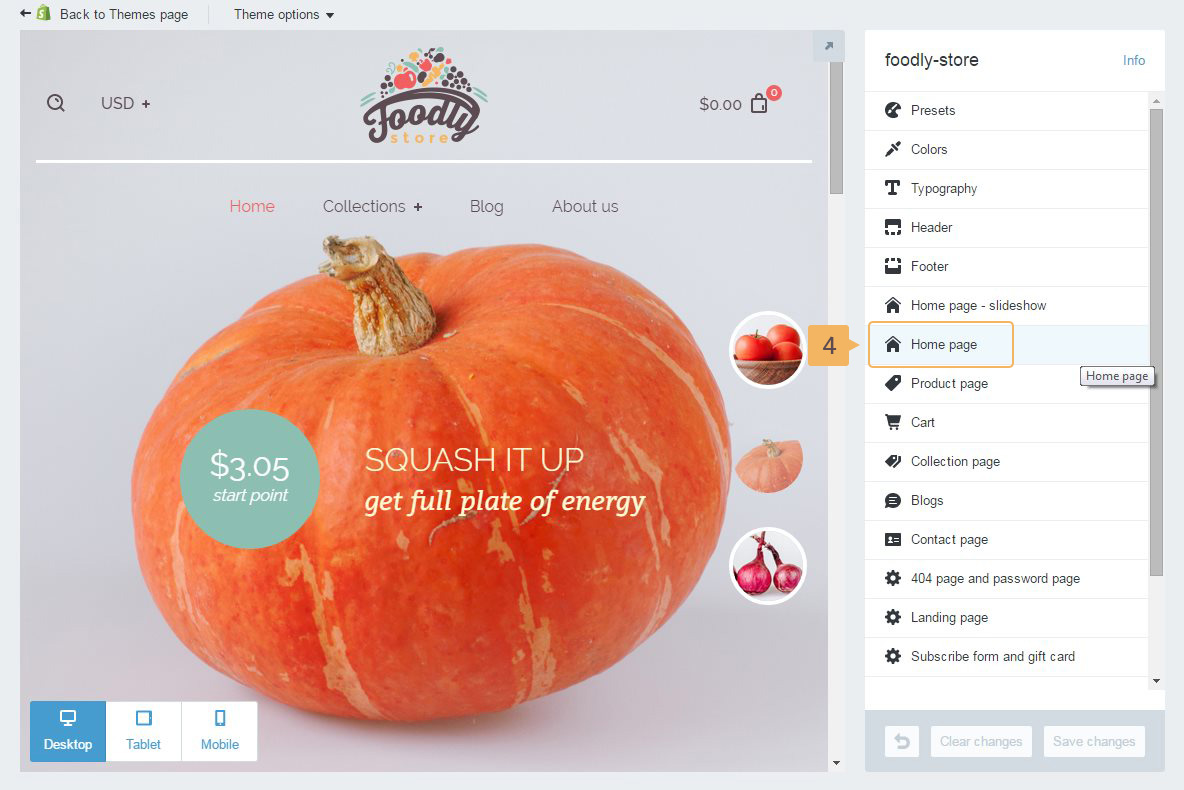
- Choose 'Home page' (Fig. 5.18 - [ 4 ])
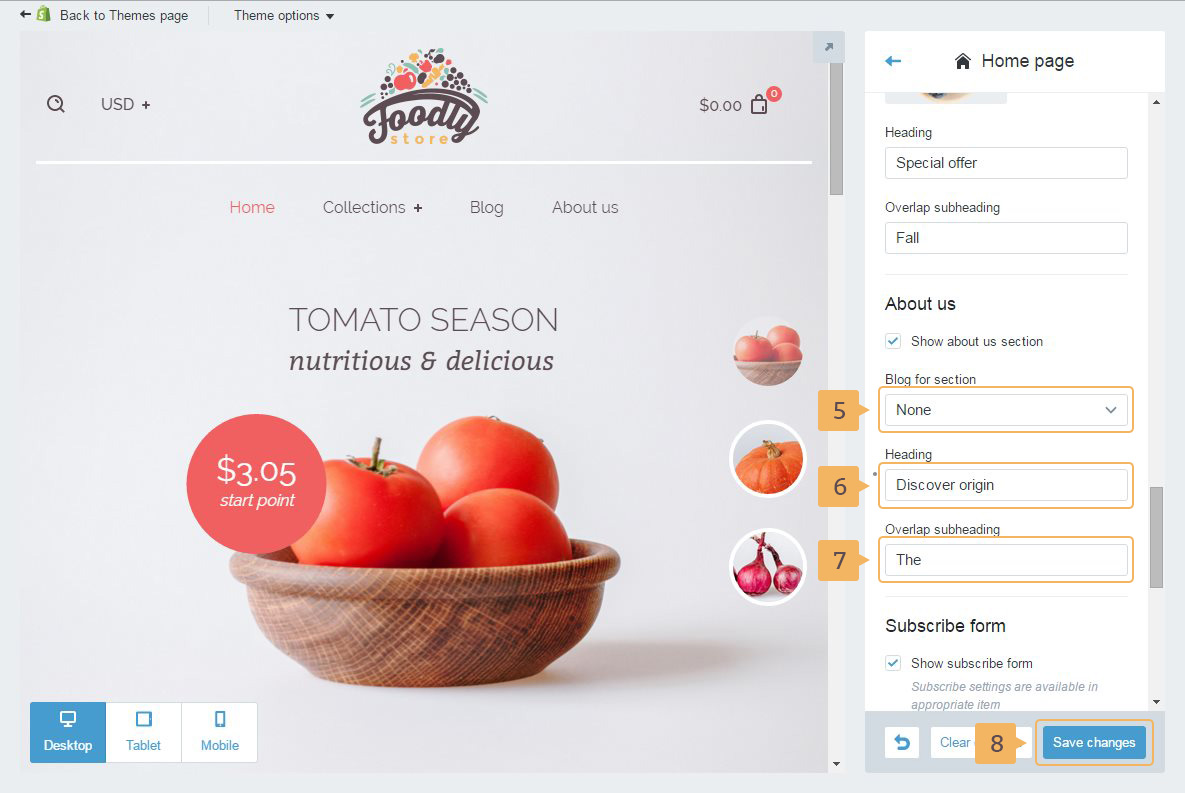
- In 'About us' section choose the blog with store advantages or features (Fig. 5.19 - [ 5 ])
- If you need, type 'Heading' (Fig. 5.19 - [ 6 ]) and 'Overlap subheading' (Fig. 5.19 - [ 7 ])
- Save changes (Fig. 5.19 - [ 8 ])
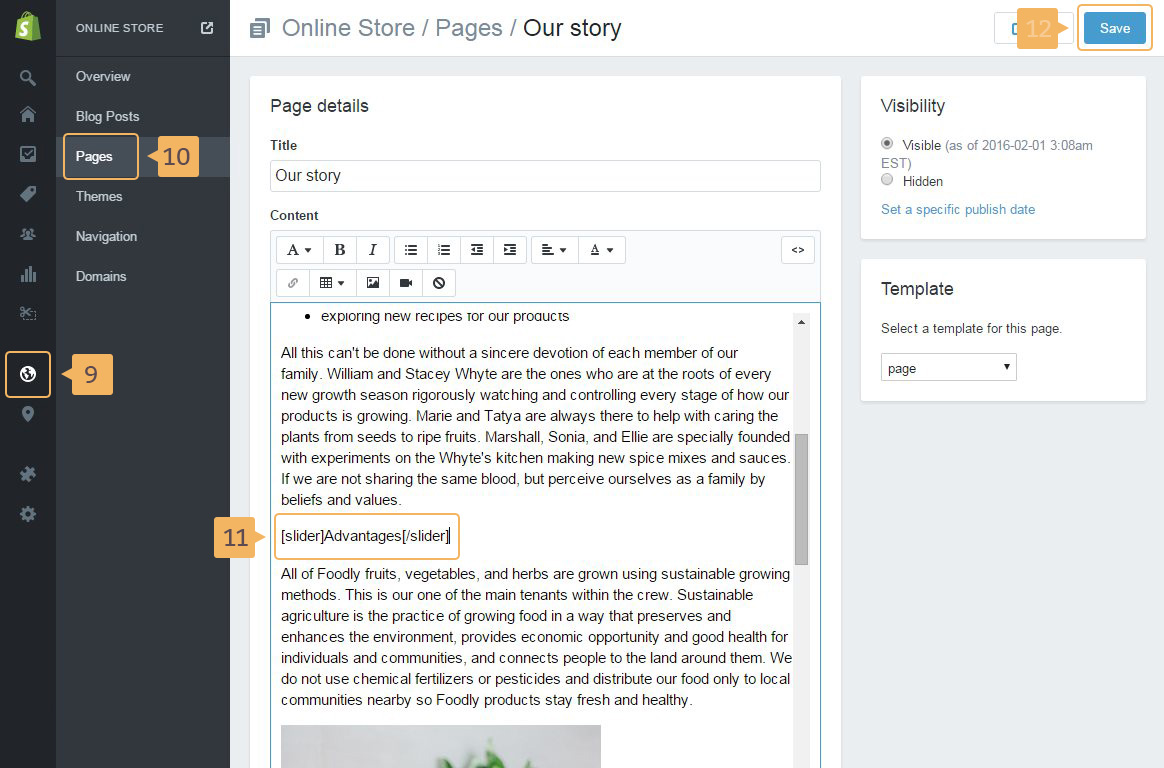
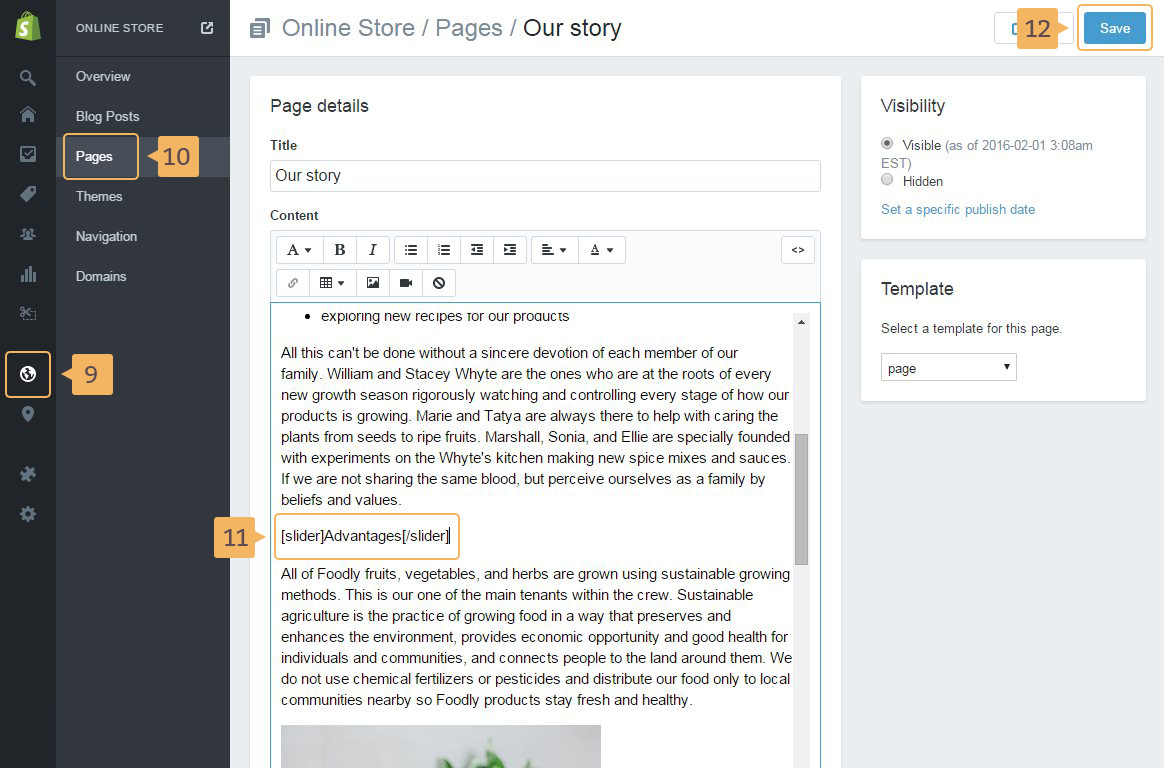
- Next, open your 'About us' page: 'Online store'(Fig. 5.20 - [ 9 ]) > 'Pages' (Fig. 5.20 - [ 10 ]) and then choose your page
- In the page content input field, paste slider shortcode:
[slider]Advantages[/slider](Fig. 5.20 - [ 11 ]). - Save page (Fig. 5.20 - [ 12 ])