Lookbook Page
Lookbook is more famous in the fashion world, as a page where people can get ideas on how to style outfits, or to see what the latest fashions are.
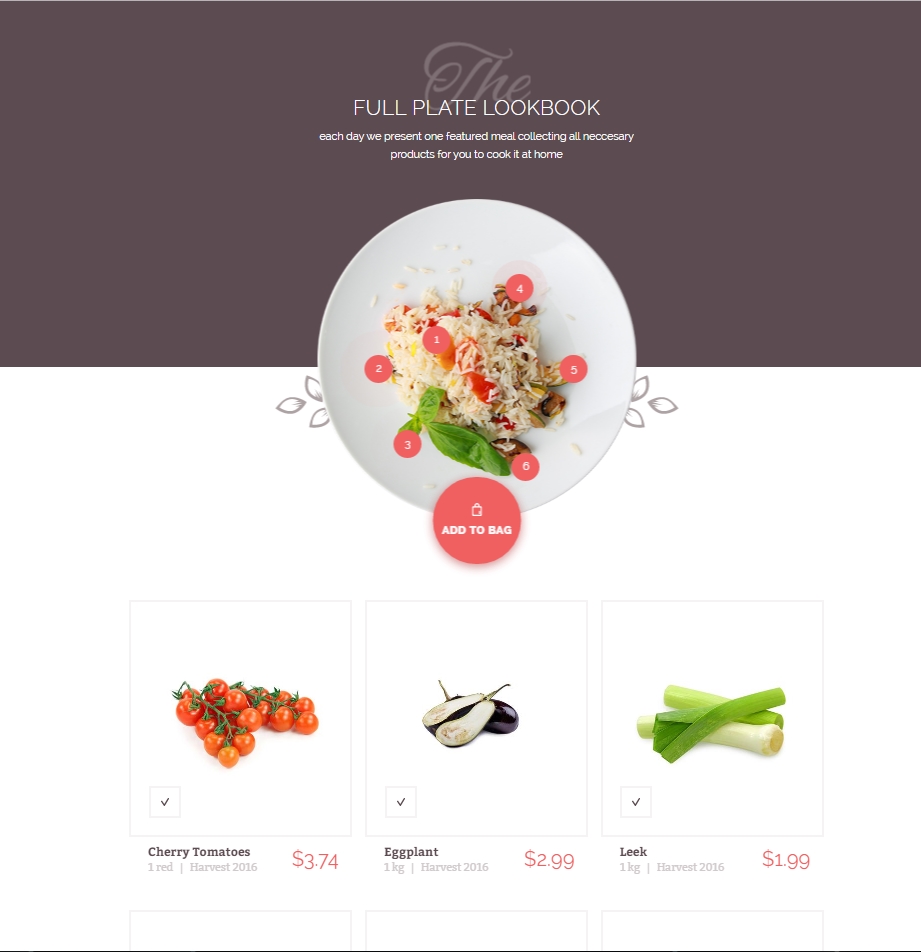
As Foodly Theme "likes" foods, its lookbook represents latest "hot" recipe and helps customers a buy products to cook this dish. This page has a look as in Fig. 5.31.
Before to create a new Lookbook page, you need a blog with one recipe. The blog creating is described in the special chapter of this page. About recipes, you can read in the following chapter.
Also, you need All Products collection. This collection will be used to find an appropriate product from Lookbook page, in your store. The creating of All Product collection is mentioned earlier in the following chapter.
To use lookbook page in your store, please, go through the following steps:
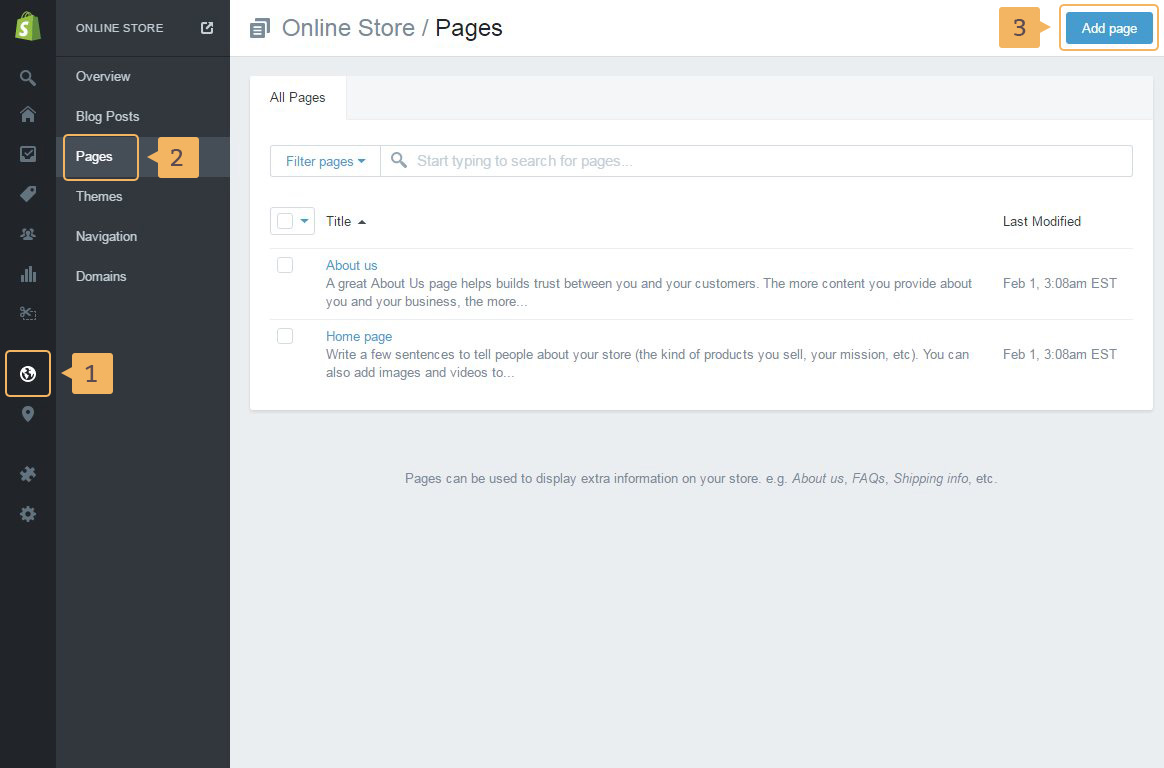
- First of all create the 'Lookbook' page. Open page with 'Pages': 'Online store'( Fig. 5.32 - [ 1 ]) > 'Pages' ( Fig. 5.32 - [ 2 ]) > 'Add page' ( Fig. 5.32 - [ 3 ])
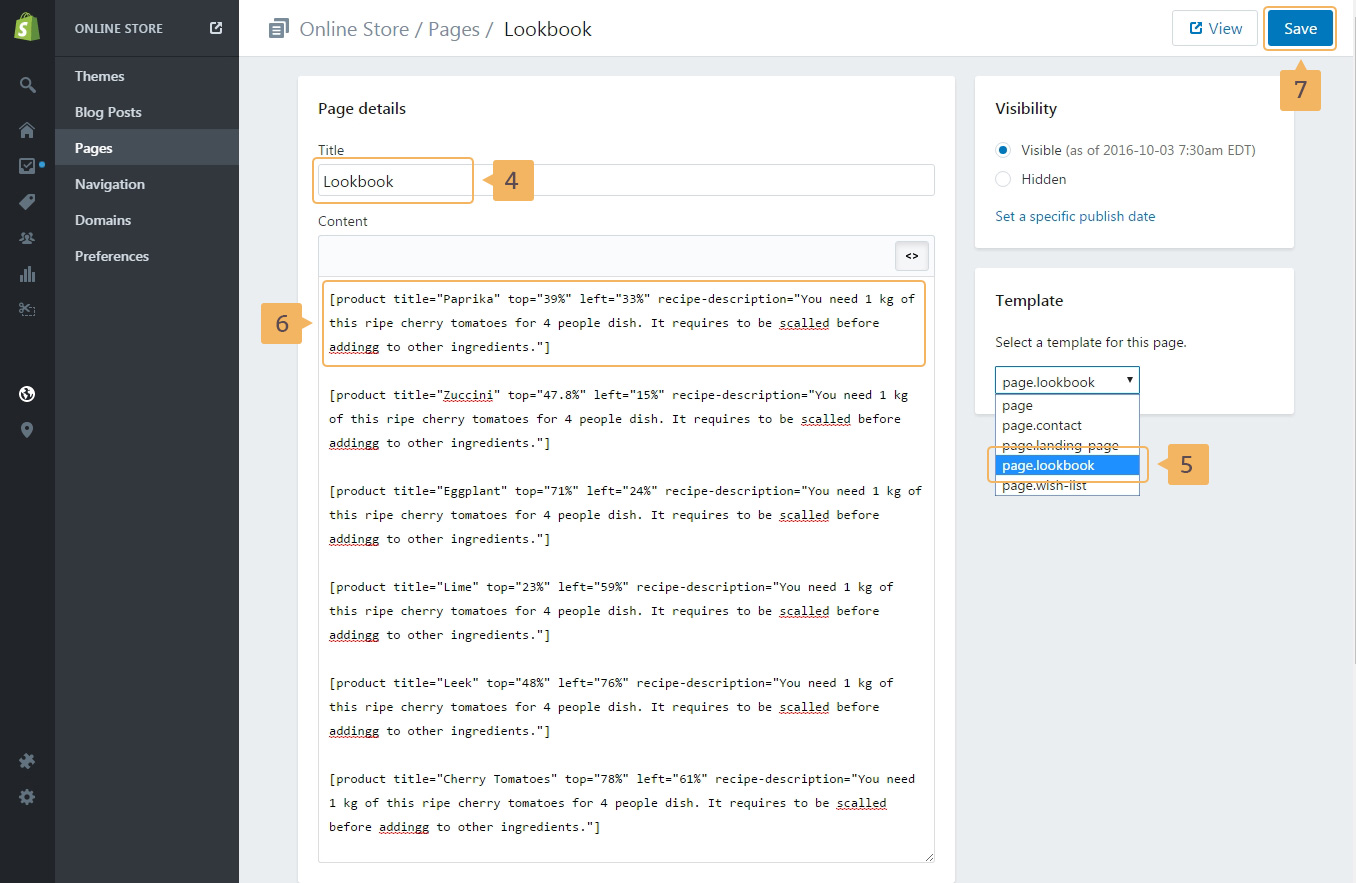
- Type the page tile ( Fig. 5.33 - [ 4 ])
- Choose page template -
page.lookbook( Fig. 5.33 - [ 5 ]) - Using shortcodes specify products which are using in the recipe (
Fig. 5.33 -
[ 6 ]). Easch shortcode attribute has own meaning:
-
title- the product title. -
top,left- the position of circle point on the recipe image. You can use px, % or em -
recipe-description- the product description in the recipe. You could use this attribute to describe how to use product in th recipe.
Example of lookbook page content:
[product title="Paprika" top="39%" left="33%" recipe-description="You need 1 kg of this ripe cherry tomatoes for 4 people dish. It requires to be scalled before addingg to other ingredients."]
-
- Save page ( Fig. 5.33 - [ 7 ])
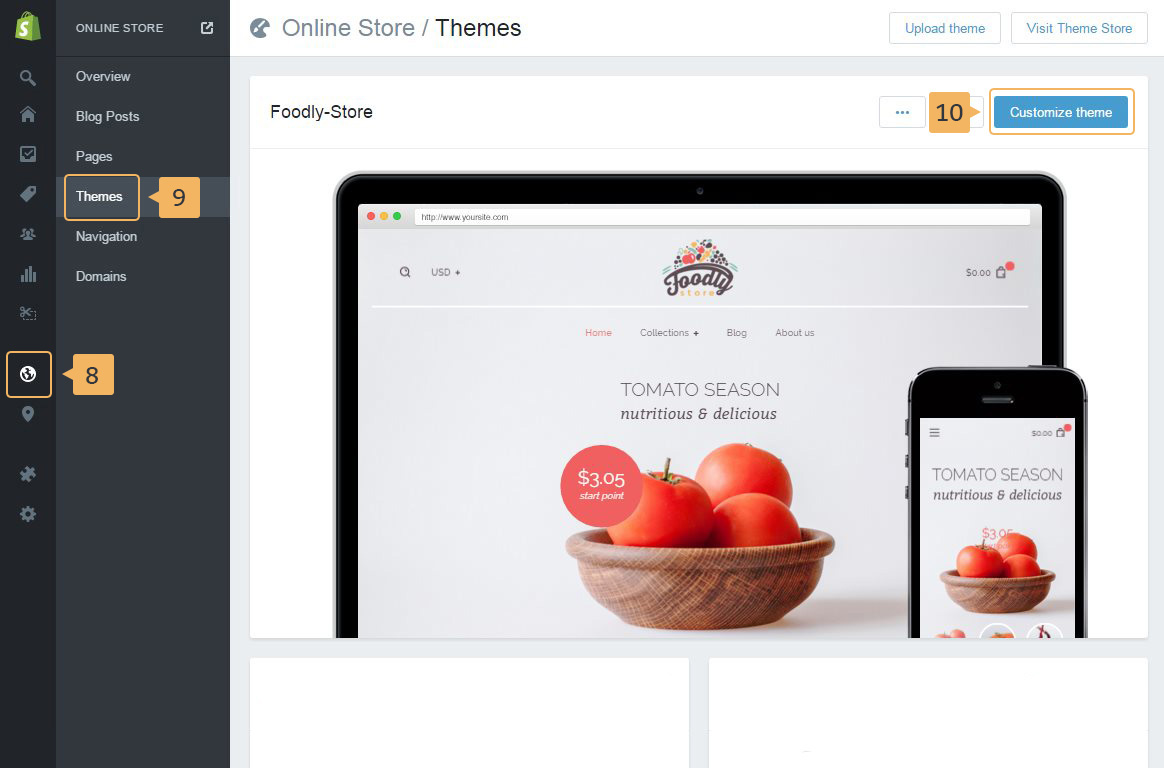
- And you need to add blog with a recipe on 'Theme customize' page: 'Online store'( Fig. 5.34 - [ 8 ]) > 'Themes' ( Fig. 5.34 - [ 9 ]) > 'Customize theme' ( Fig. 5.34 - [ 10 ]) > General settings
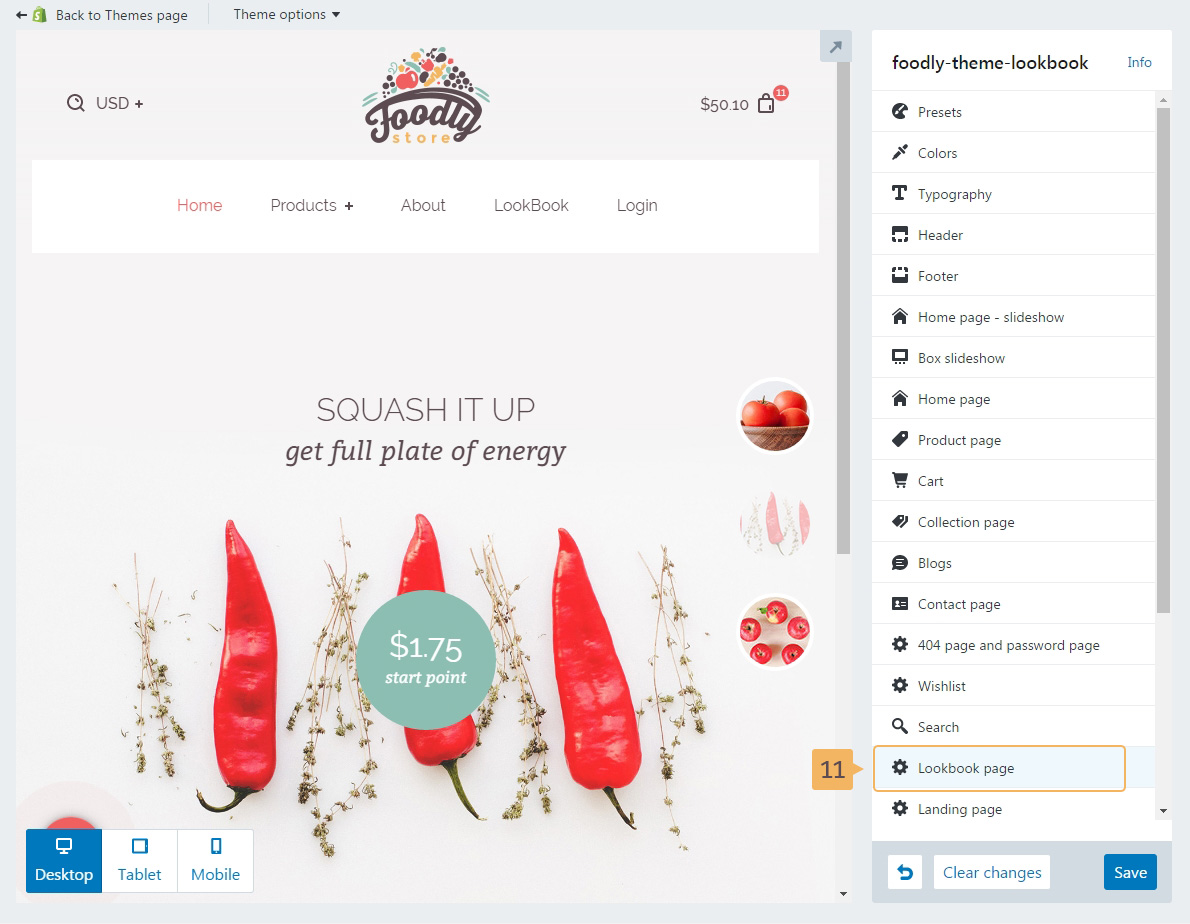
- In the opened page, click 'Lookbook page' ( Fig. 5.35 - [ 11 ]).
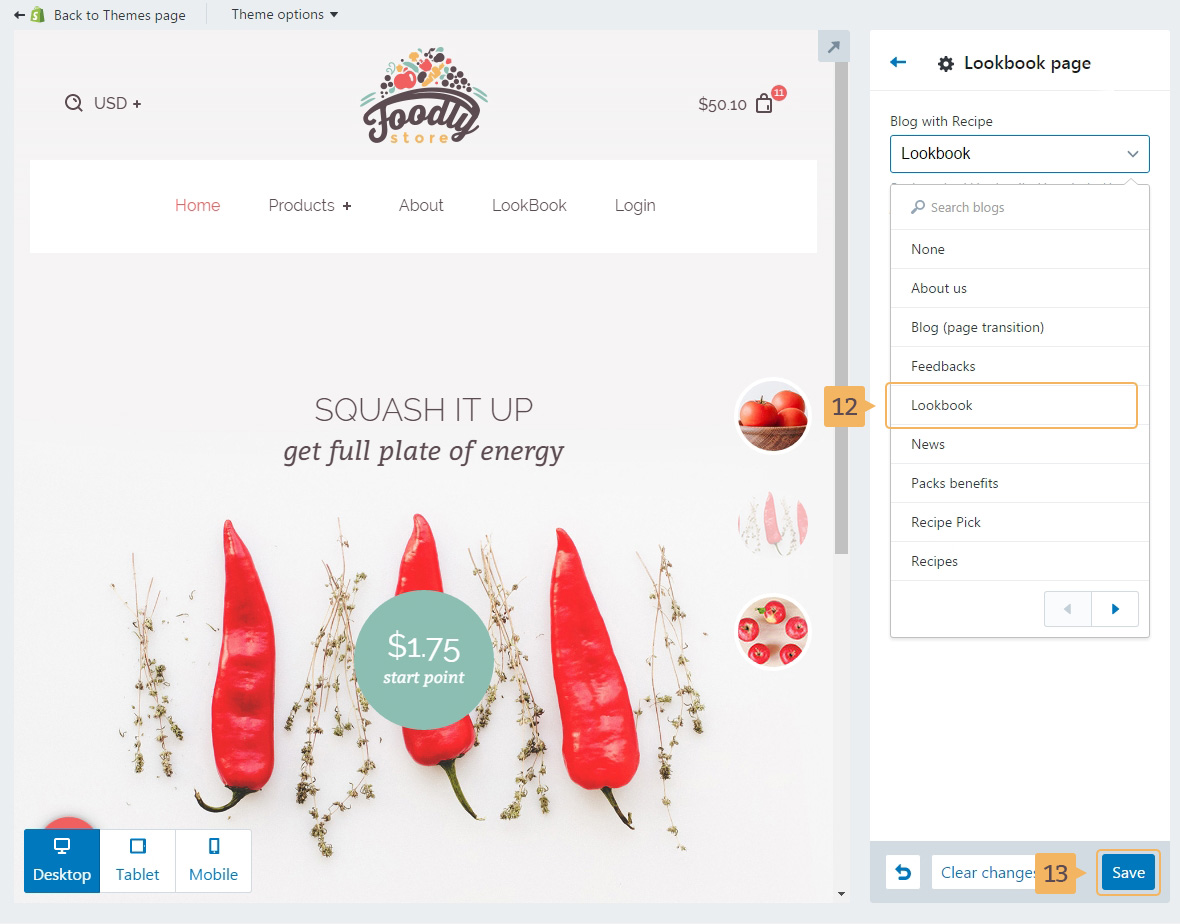
- Choose the blog with the recipe ( Fig. 5.36 - [ 12 ])
- Save Changes ( Fig. 5.36 - [ 13 ])