Special Product Size
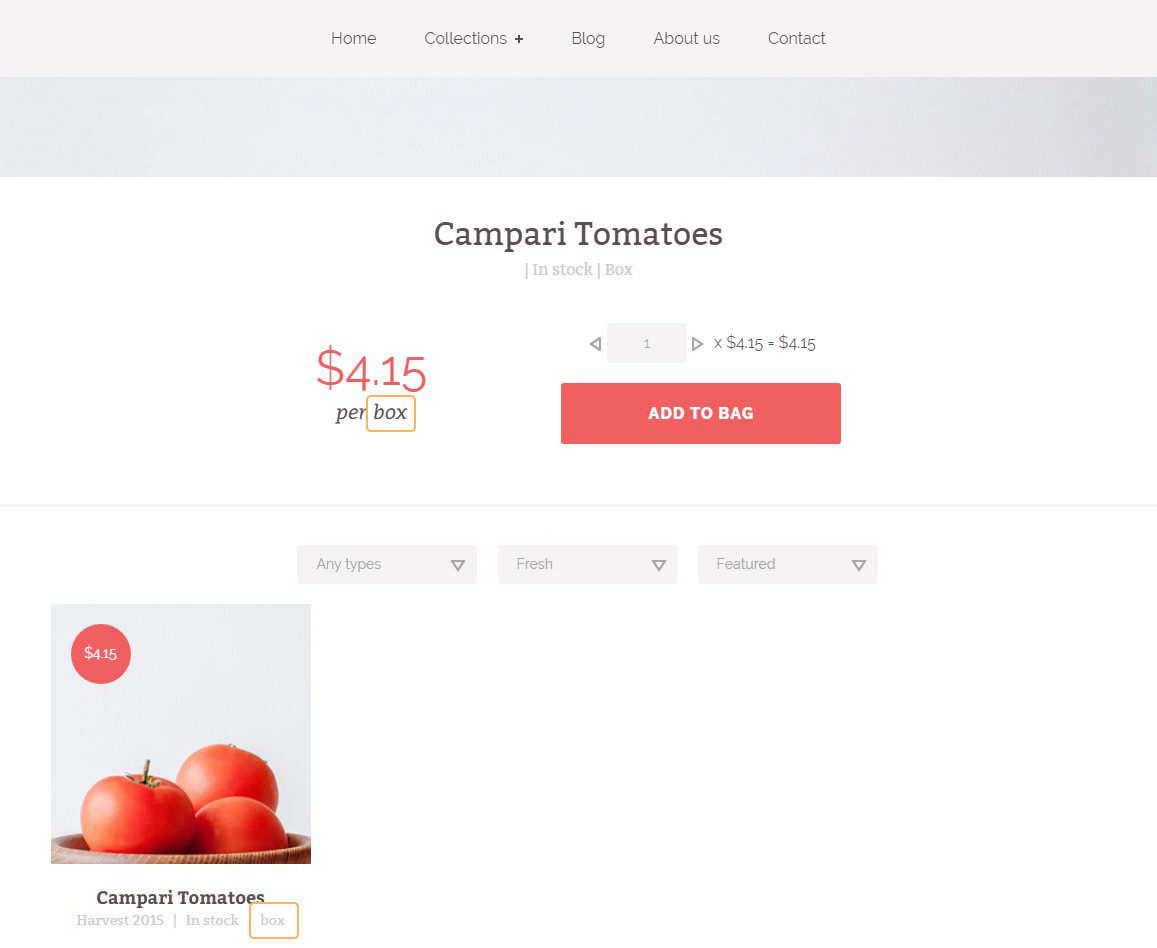
There are wide variaty of how we can measure food. It might be kilograms, pounds, grams, ounce or any other. In this case you would like to add the one that fits more to your type of products you need to add them into theme. The following instruction helps create the special product size for you. For example: bunch, pint, box, bag, head etc. The use of poduct size is shown in Figure 3.23
Notice! The shipping will still be calculated in weight units (kg, lb, oz, g).
- Open the product (Fig. 3.6 - [ 1 ] - [ 3 ] ) or add a new product (Fig. 3.6 - [ 1 ] - [ 2 ], [ 4 ]).
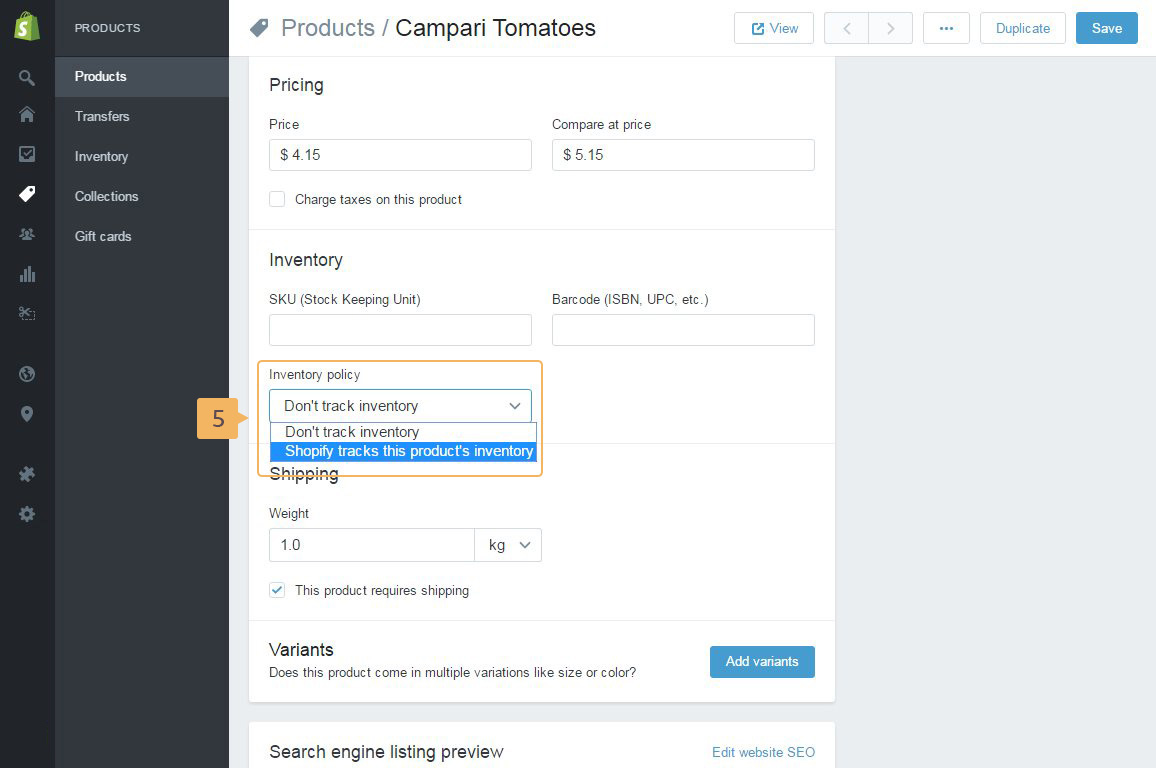
- In 'Inventory' section, select 'Shopify tracks this product's inventory' from 'Inventory police' dropdown (Fig. 3.20 - [ 5 ])
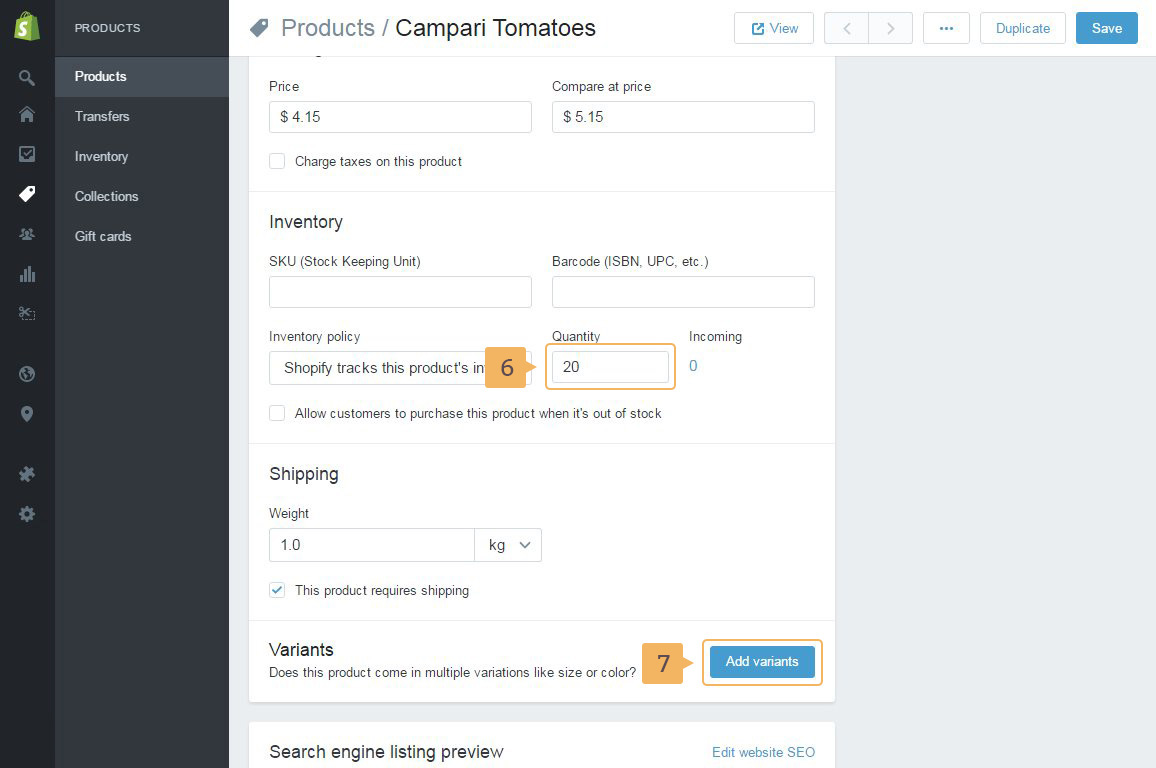
- After that, add the avaliable quantity of current product (Fig. 3.21 - [ 6 ])
- Click 'Add variants' button (Fig. 3.21 - [ 7 ])
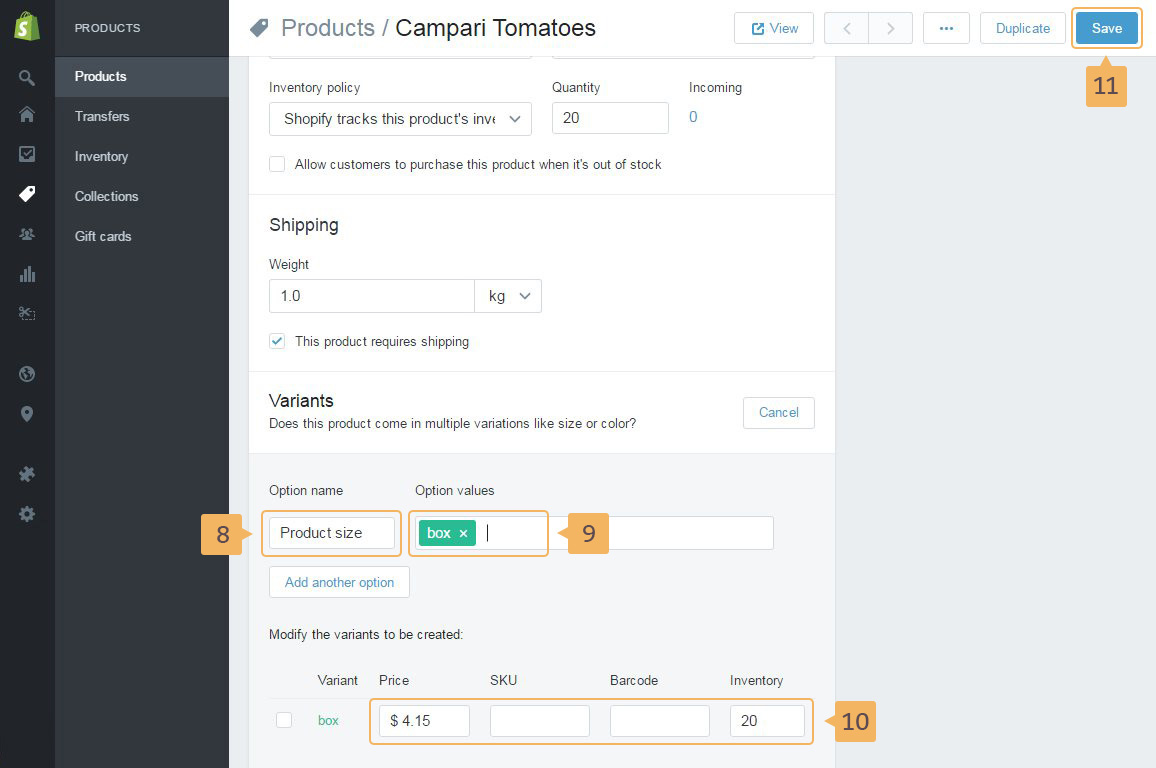
- In opened dropdown type new 'Option name' (for example "Product size") (Fig. 3.22 - [ 8 ]) and name for product size with comma (for example "box") (Fig. 3.22 - [ 9 ]).
- Fill or change the remaining fields if you need (Fig. 3.22 - [ 10 ])
- Save new product size (Fig. 3.22 - [ 11 ])