Sorting Filters
List of Content
- Preface. Background of Foodly Theme Development 0
- Marketing. Foundation of Selling Online 1
- Content. Key to More Sales & Profit 2
- Audience. Backbone of Personalized Shopping Experience 3
- Conversion Rate. Foundation to Estimation of Success 4
- Getting Started with Foodly Theme 5
- Setting Up Navigation 6
-
Working with Products
12
- Working with Products
- Adding New Product to Store
- Adding "Nutritional Value" to Product Description
- Adding Product to Collection
- Product Images
- Product Type (Harvest 2014 and etc.)
- Product Tags
- Sale Badge
- Special Product Size
- How to Change Product Page Link
- Product Packaging
- Product Builder
- Product Pack
- Managing Collections 24
- Handling Pages 29
- Running Blog 36
- Processing Gift Card 44
-
Adjusting Theme Settings
45
- Adjusting Theme Settings
- Presents
- Colors
- Typography
- Header
- Footer
- Home Page Slideshow
- Home Page
- Product Page
- Shopping Cart
- Collection Page
- Blogs
- Contact Page
- 404 page and password page
- Wishlist
- Search
- Lookbook Page
- Landing page
- Subscription of Your Store
- Notification button
- Shipping Rates Calculator
- Currency
- Checkout
- Setting Up Third-party Tool 67
- Acknowledgment 74
Sorting Filters
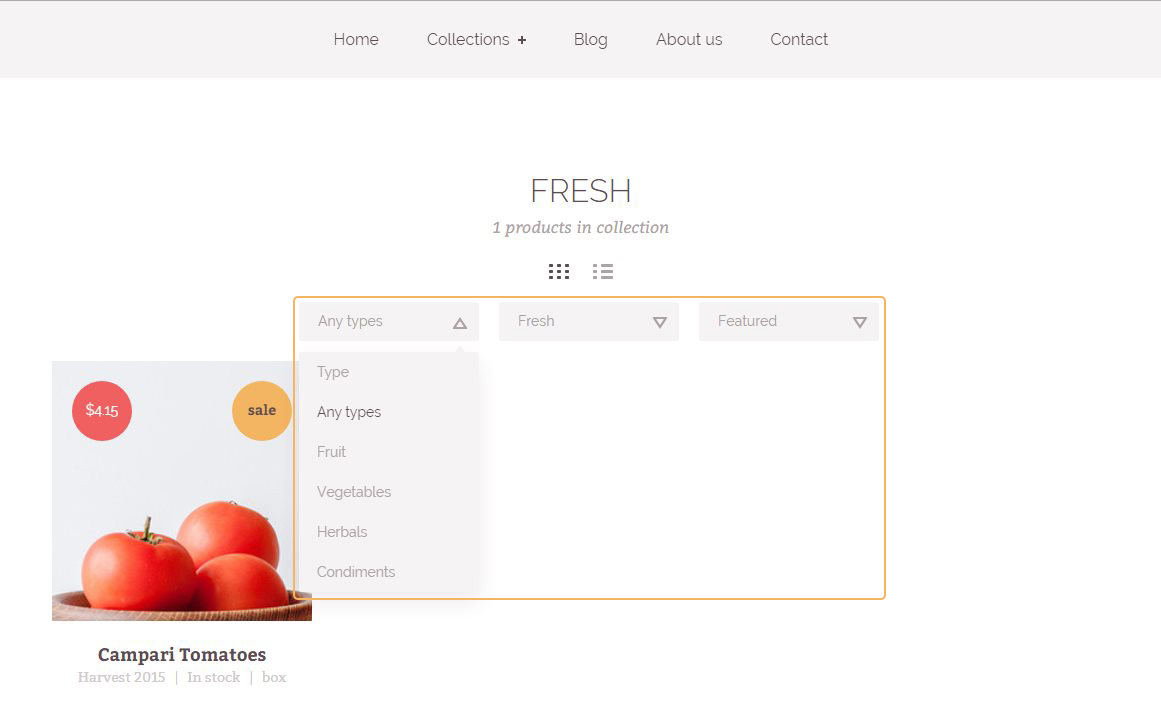
Filters helps to the customer quickly find wanted product. In Foodly theme using three types of filters. First two you could adjust in the customize page. Last it is default filter. Filters look like as in Figure 11.
To adjust filters, please go through the following steps:
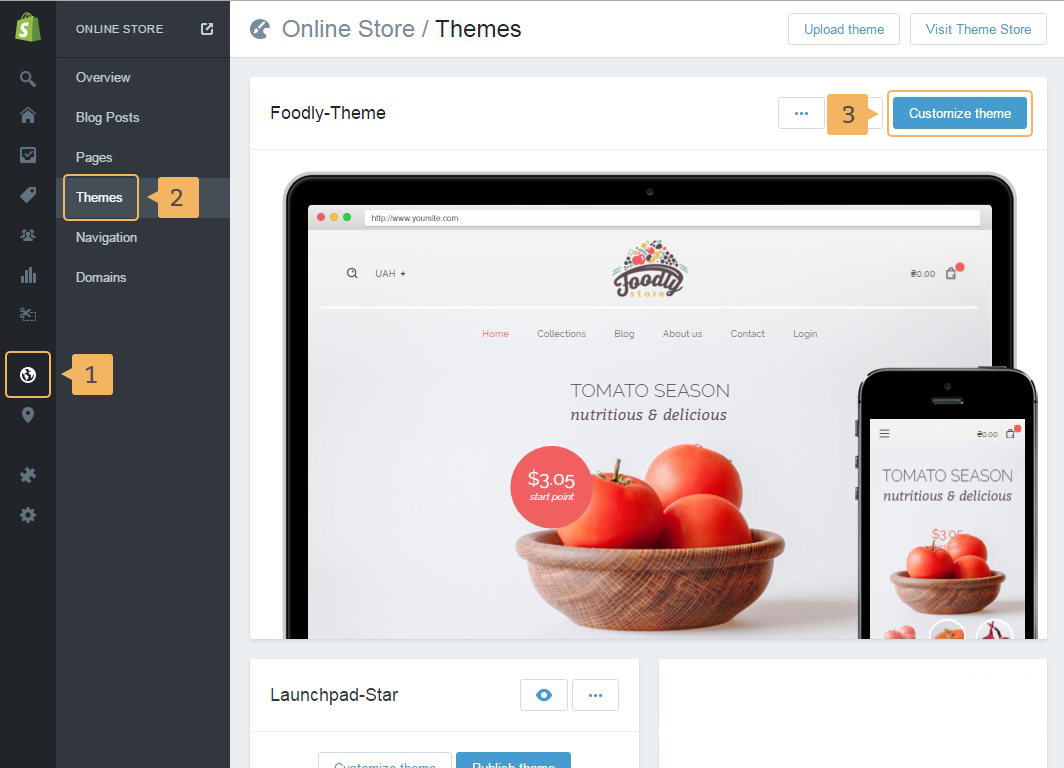
- Open theme customize page: click Online store (Fig. 4.8 - [ 1 ]) - Themes (Fig. 4.8 - [ 2 ]) and then click Customize theme button (Fig. 4.8 - [ 3 ]).
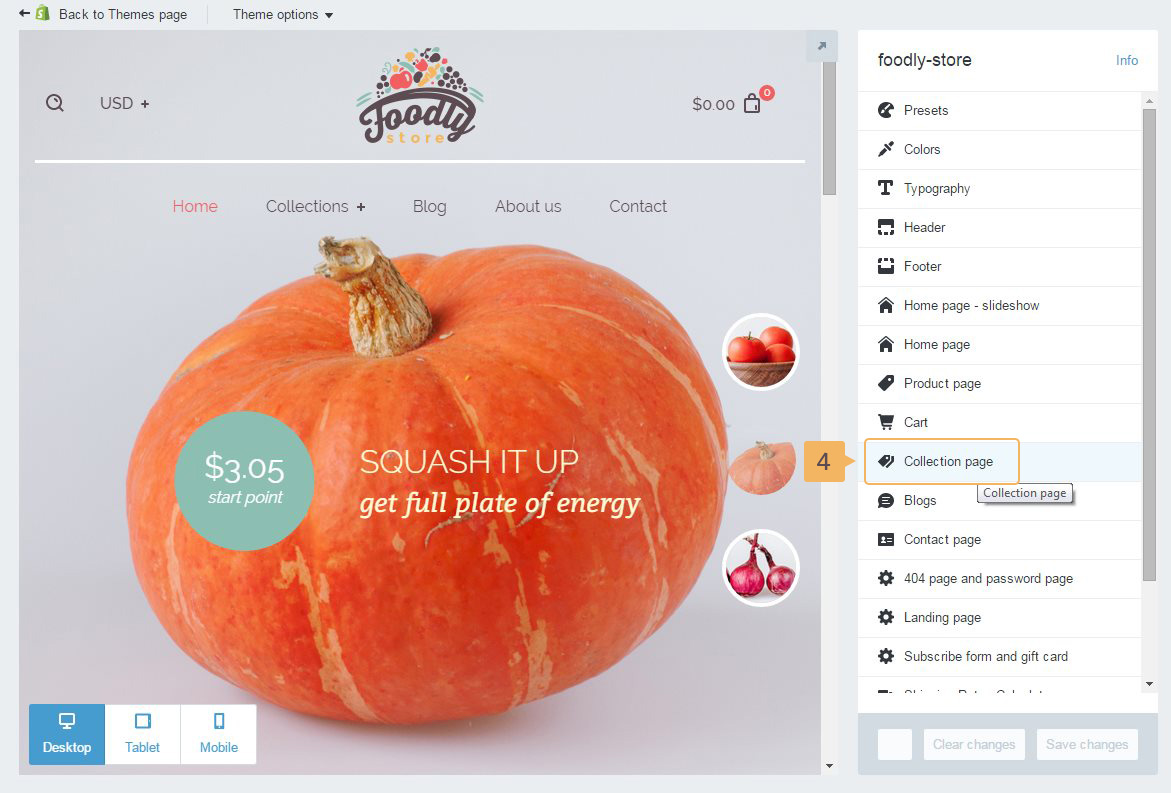
- Choose Collection page (Fig. 4.9 - [ 4 ]).
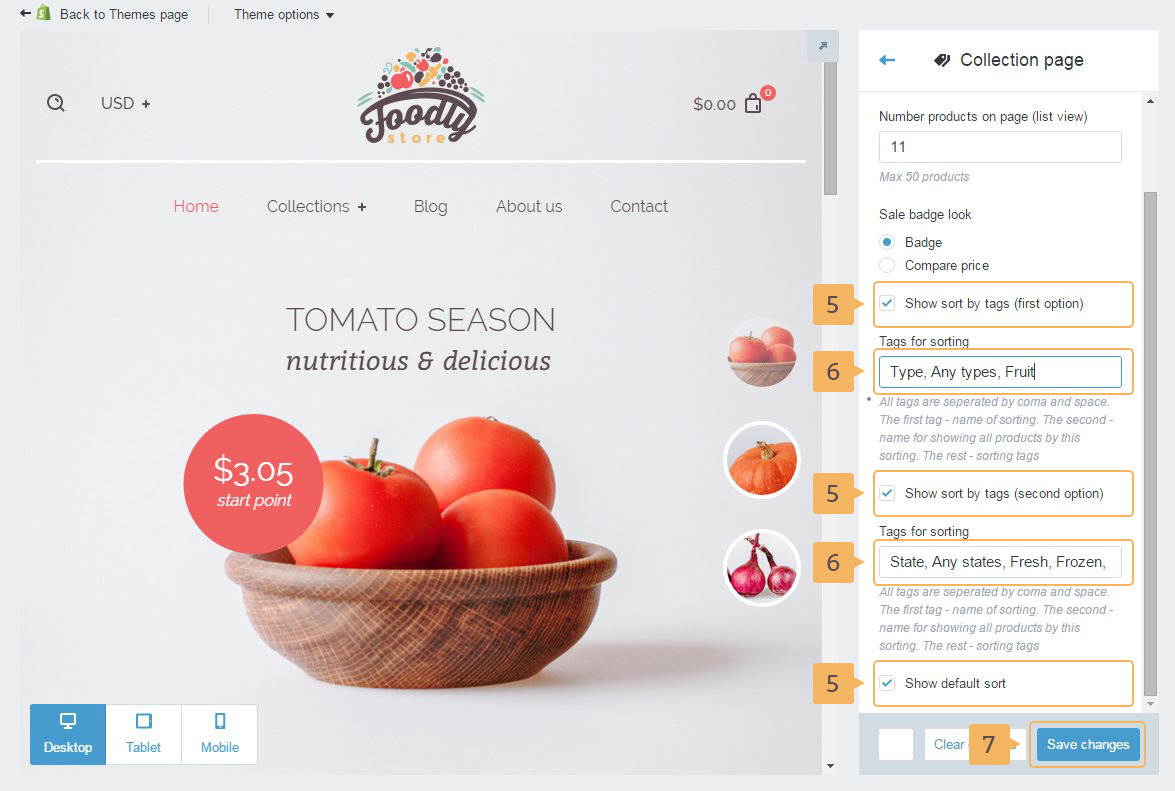
- Disable or enable filters if necessary (Fig. 4.10 - [ 5 ]).
-
Type tags that will sort products separeted with comma and one space (Fig. 4.10 - [ 6 ]).
About tags in products was mentioned earlier in this documentation.