Adding New Collection
The collection should have products. So, we recommend adding products before the creation of the collection. The instruction how to create a product is in the special chapter of this paper.
To add new collection to store, please, go though the following steps:
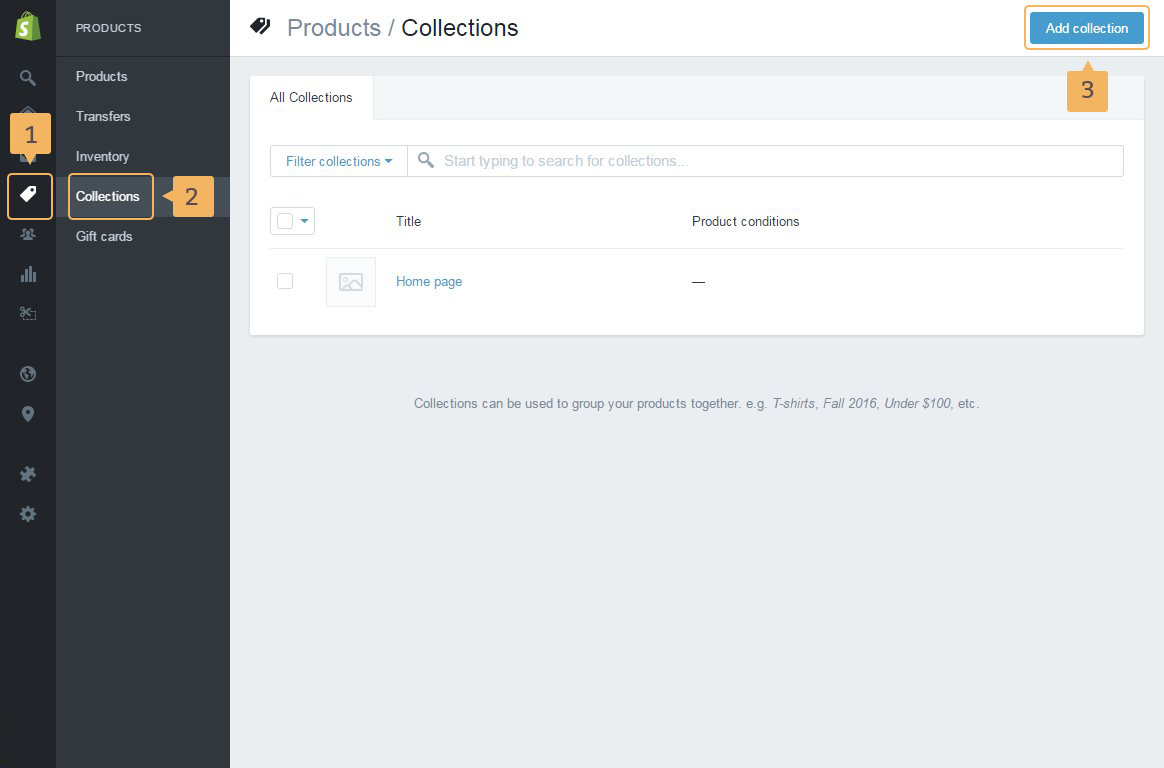
- Open page with collections: 'Products' ( Fig. 4.1 - [ 1 ]) > 'Collections'( Fig. 4.1 - [ 2 ]).
- Click 'Add collection' button ( Fig. 4.1 - [ 3 ])
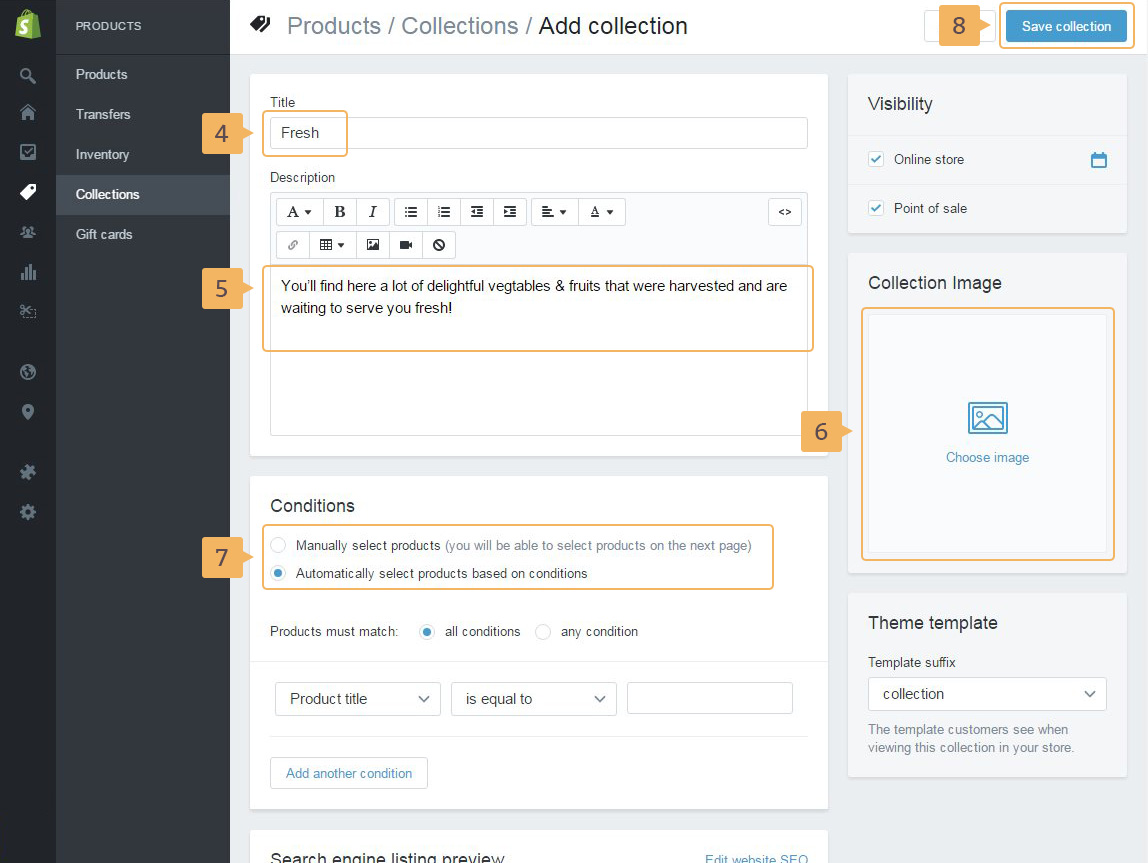
- Type the collection name ( Fig. 4.2 - [ 4 ])
- Write collection description ( Fig. 4.2 - [ 5 ]). This description is used in the collection mega menu
- Add image for your collection ( Fig. 4.2 - [ 6 ]). It might be any sort of icon, illustration or image
-
Choose how to add products to collection (Fig. 4.2 - [ 7 ]). There are two ways how to do that:
- manually adding products to collection (detailed guide is uncovered in Shopify help guide)
- automatically selecting products and conditions (detailed guide is uncovered in Shopify help guide)
- Save collection ( Fig. 4.2 - [ 8 ])