Home page - slideshow
List of Content
- Preface. Background of Foodly Theme Development 0
- Marketing. Foundation of Selling Online 1
- Content. Key to More Sales & Profit 2
- Audience. Backbone of Personalized Shopping Experience 3
- Conversion Rate. Foundation to Estimation of Success 4
- Getting Started with Foodly Theme 5
- Setting Up Navigation 6
-
Working with Products
12
- Working with Products
- Adding New Product to Store
- Adding "Nutritional Value" to Product Description
- Adding Product to Collection
- Product Images
- Product Type (Harvest 2014 and etc.)
- Product Tags
- Sale Badge
- Special Product Size
- How to Change Product Page Link
- Product Packaging
- Product Builder
- Product Pack
- Managing Collections 24
- Handling Pages 29
- Running Blog 36
- Processing Gift Card 44
-
Adjusting Theme Settings
45
- Adjusting Theme Settings
- Presents
- Colors
- Typography
- Header
- Footer
- Home Page Slideshow
- Home Page
- Product Page
- Shopping Cart
- Collection Page
- Blogs
- Contact Page
- 404 page and password page
- Wishlist
- Search
- Lookbook Page
- Landing page
- Subscription of Your Store
- Notification button
- Shipping Rates Calculator
- Currency
- Checkout
- Setting Up Third-party Tool 67
- Acknowledgment 74
Home page - slideshow
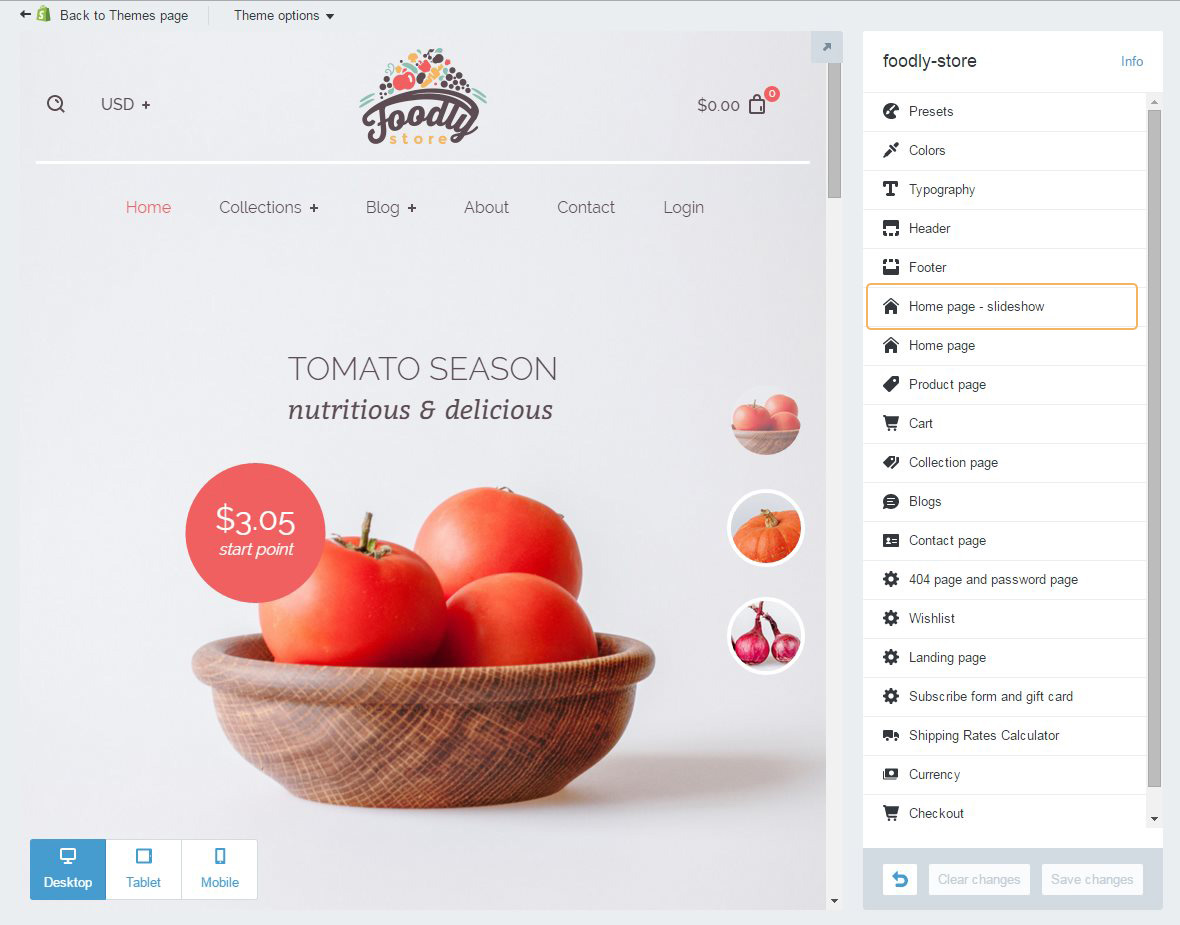
Home page slideshow is the first thing that buyers will see entering your store. This is a prominent spot to impress your potential client at the first glance. This part of the homepage should be captional and deliver a real eye-candy for the user. This fact was proven by our user testing, it revealed that almost 90% of shop visitors was bowled over with professional and captivating imagery and they behaved more freely and sympathetic to the interface and brand in general. This result is fair for desktop and for mobile. As we were designing Foodly following mobile first approach we focused a lot on mobile user experience. So we would like to share with you an interesting research about slideshows (also known as carousels) performence on mobile. It is a post An Exploration of Carousel Usage on Mobile E-Commerce Websites by SmashingMagazine.
Therefore, it's the reason why 'Home page slideshow' settings have been separated into a special section. So you could adjust it accordingly and benefit in full.
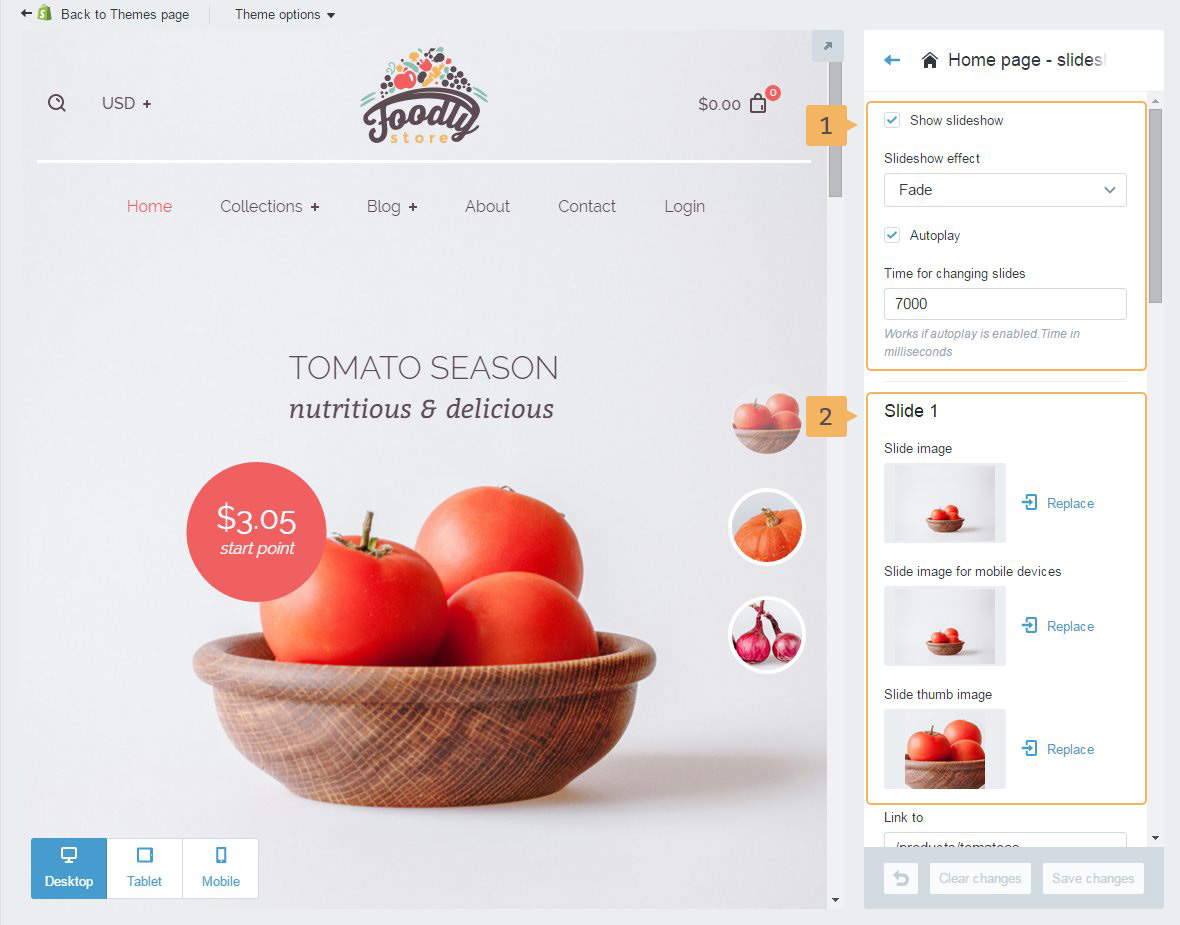
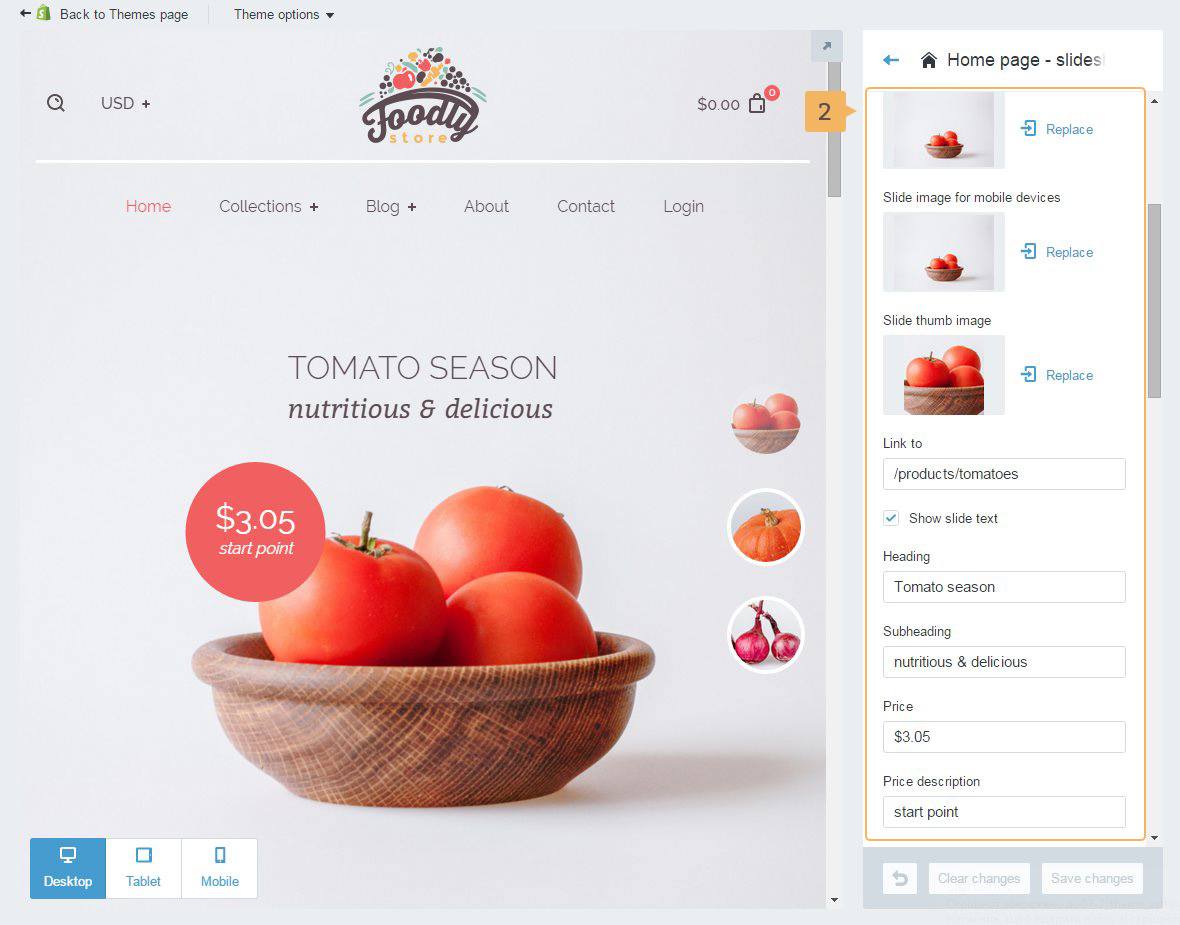
Foodly theme offers the following customization features for the slideshow: animation, autoplay, time of slide duration (Fig. 7.2 - [ 1 ]) and images with headings (Fig. 7.3 - [ 2 ]).