Collection with All Products
List of Content
- Preface. Background of Foodly Theme Development 0
- Marketing. Foundation of Selling Online 1
- Content. Key to More Sales & Profit 2
- Audience. Backbone of Personalized Shopping Experience 3
- Conversion Rate. Foundation to Estimation of Success 4
- Getting Started with Foodly Theme 5
- Setting Up Navigation 6
-
Working with Products
12
- Working with Products
- Adding New Product to Store
- Adding "Nutritional Value" to Product Description
- Adding Product to Collection
- Product Images
- Product Type (Harvest 2014 and etc.)
- Product Tags
- Sale Badge
- Special Product Size
- How to Change Product Page Link
- Product Packaging
- Product Builder
- Product Pack
- Managing Collections 24
- Handling Pages 29
- Running Blog 36
- Processing Gift Card 44
-
Adjusting Theme Settings
45
- Adjusting Theme Settings
- Presents
- Colors
- Typography
- Header
- Footer
- Home Page Slideshow
- Home Page
- Product Page
- Shopping Cart
- Collection Page
- Blogs
- Contact Page
- 404 page and password page
- Wishlist
- Search
- Lookbook Page
- Landing page
- Subscription of Your Store
- Notification button
- Shipping Rates Calculator
- Currency
- Checkout
- Setting Up Third-party Tool 67
- Acknowledgment 74
Collection with All Products
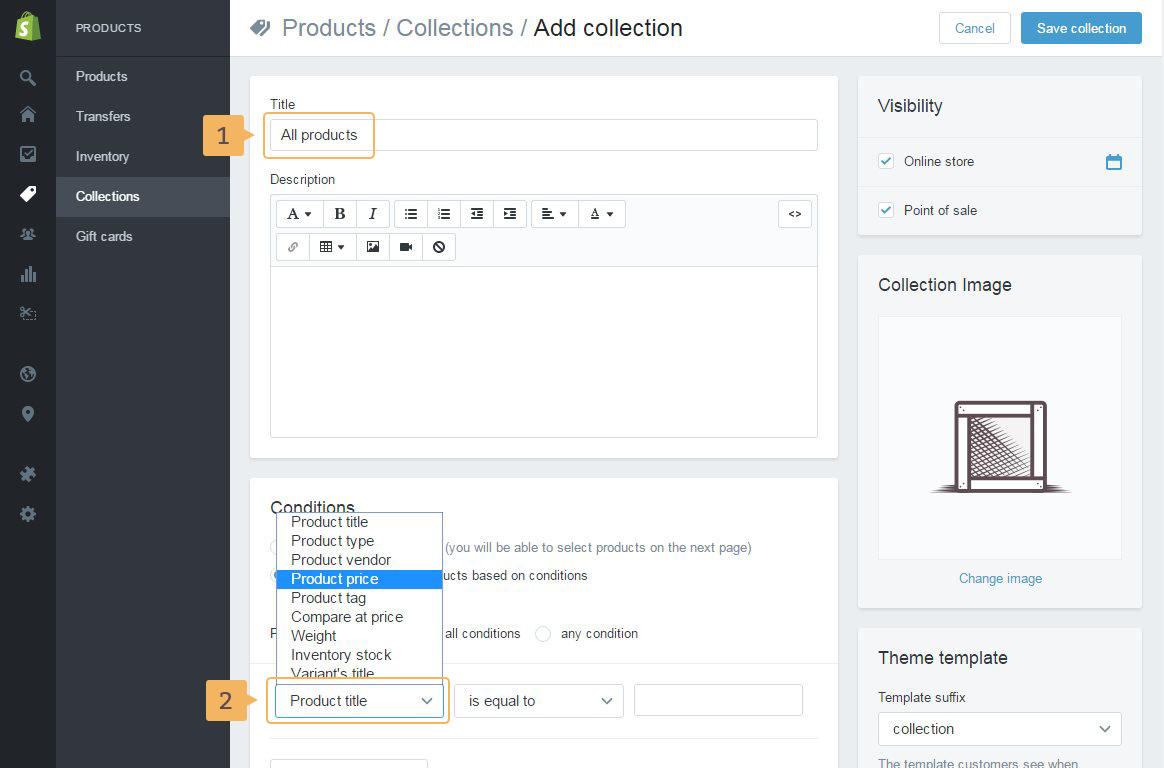
Consider how to create collection with all products:
- Create new collection
- Type the collection name (Fig. 4.3 - [ 1 ]).
- In 'Conditions' section choose 'Automatically select products based on conditions'
- Choose in first dropdown option Product price (Fig. 4.3 - [ 2 ]).
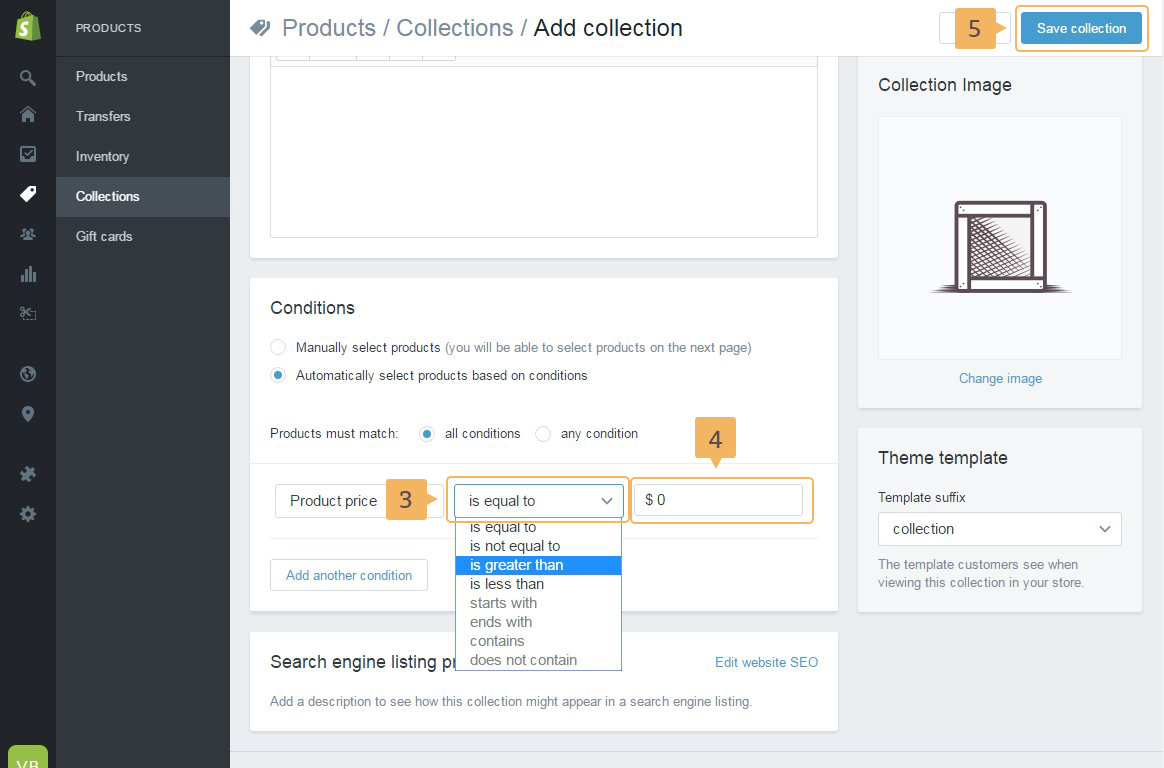
- In second choose 'is greater than' condition (Fig. 4.3 - [ 3 ]).
- In last field type
0(zero) (Fig. 4.3 - [ 4 ]). This condition chooses products which price is greater than0- all products. - Save current collection (Fig. 4.3 - [ 5 ]).