Installing Reviews App
As we have mentioned in 'Audience' chapter, reviews is a must-have type of user-generated content in an online shop. This is a word of the crowd that helps your customers make decisions and feel safe knowing that others did the same way. It's called a social proof.
Now let's look at numbers. 70% of potential buyers rely on reviews before making a purchase as PeopleClaim research says. 63% of customers are more likely to buy something in vendor's shop that has reviews, chances are higher if this store has more than six reviews as MarketingProfs says.
Based on these arguments and more from Shopify blog post, we are recommending to use Product Reviews - review app from Shopify, for thte first time. You can install this app from the Shopify App Store. It's absolutely free. Moreover, Foodly theme has styled view for this app to match overal design of the theme.
To install and enable Reviews App in your store, please, go through the following steps:
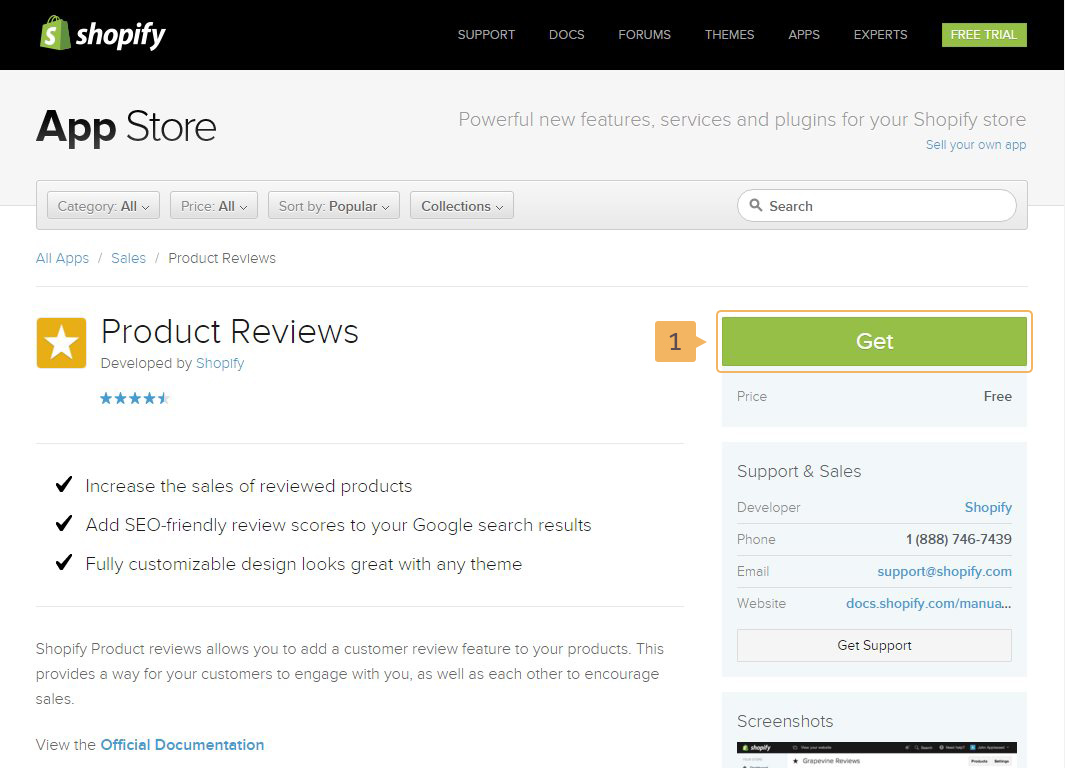
- Go to the Shopify App Store and click 'Get' (Fig. 1.5 - [ 1 ]) button to start the installation.
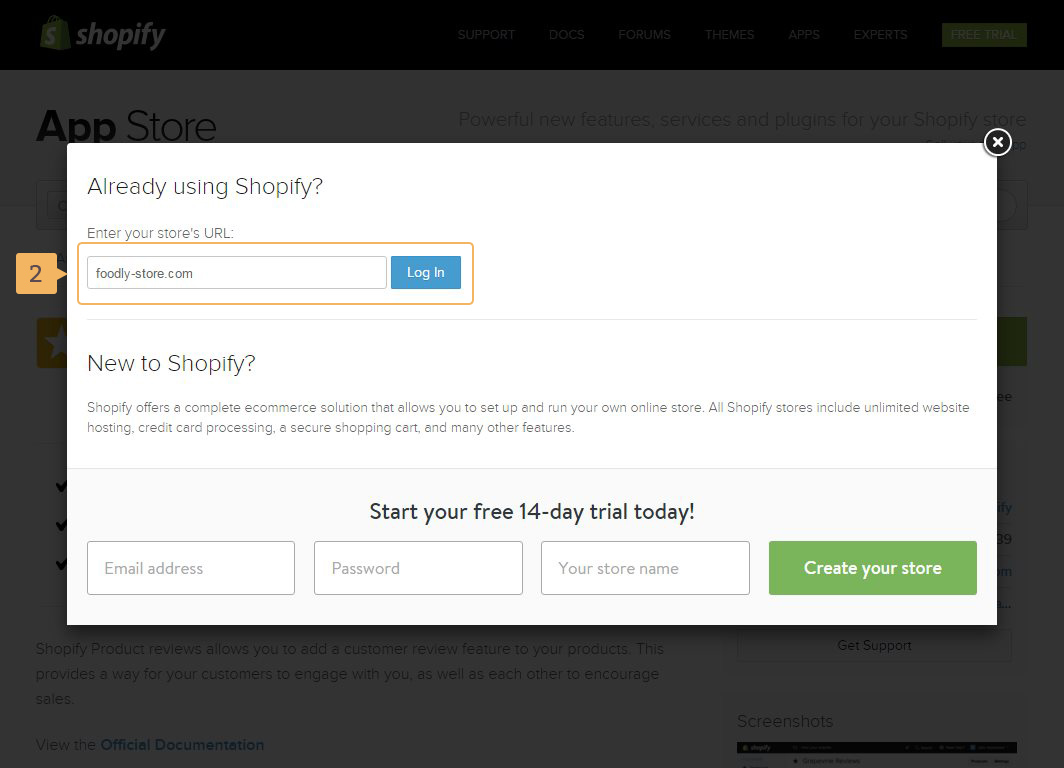
- In the open popup, type your URL store and click 'Log In' (Fig. 1.6 - [ 2 ]).
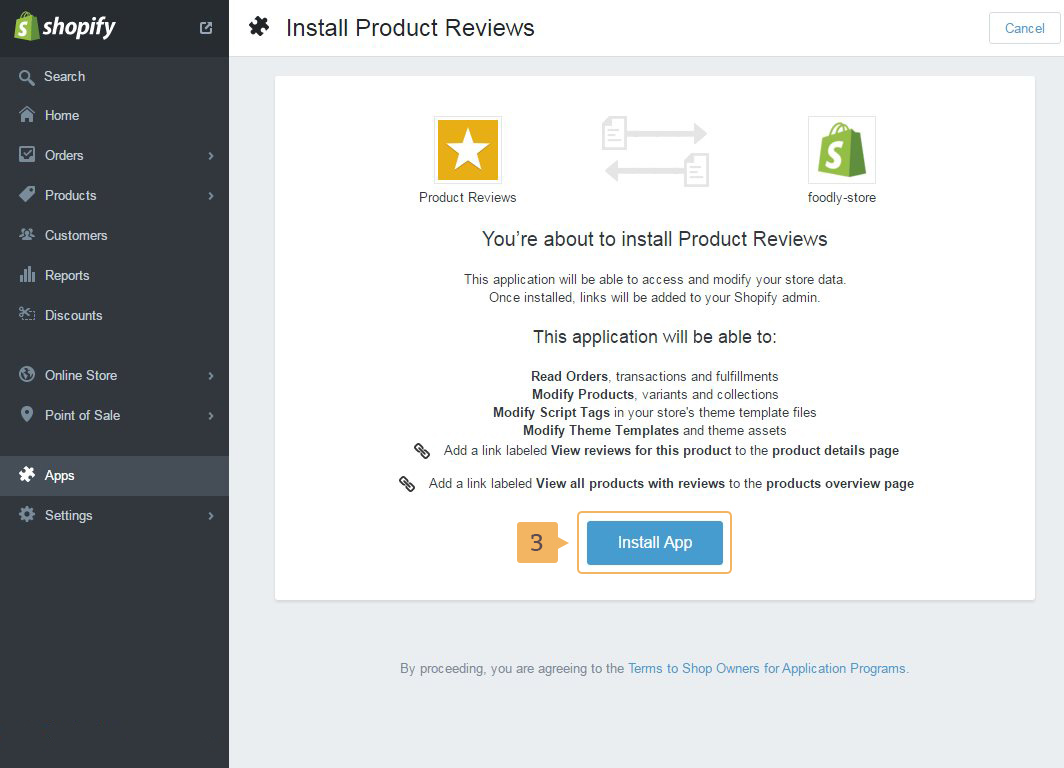
- Then click 'Install App' (Fig. 1.7 - [ 3 ])
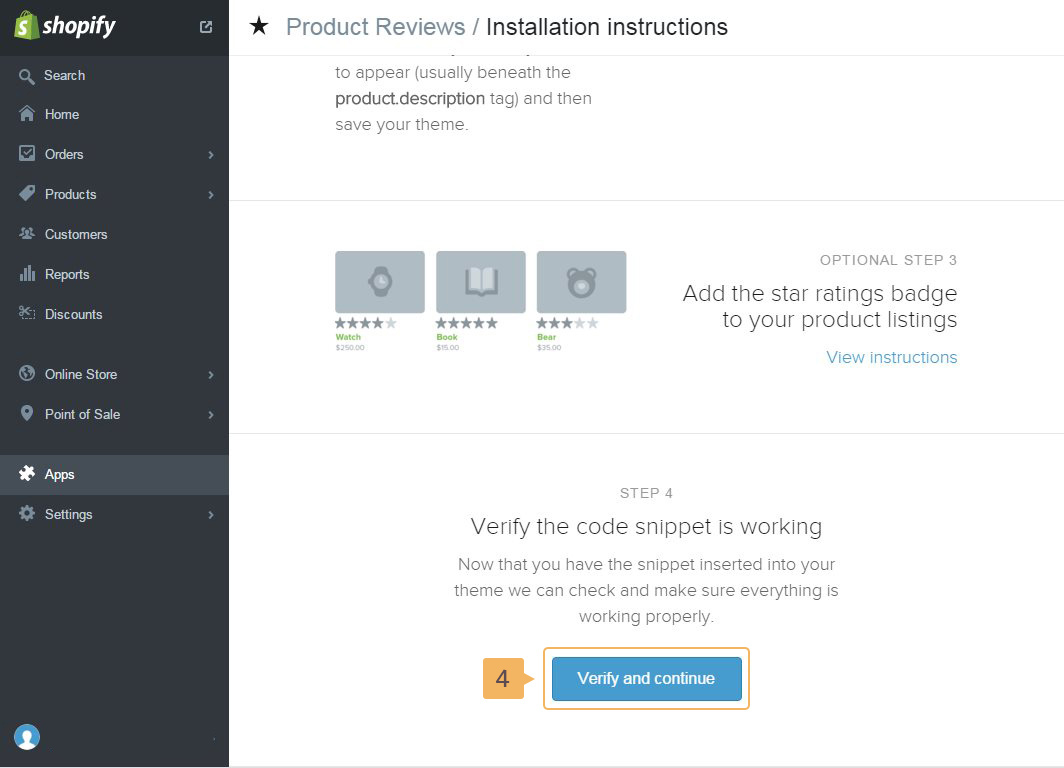
- After installation - scroll down the 'installation instruction window' and click on 'Verify and continue' button (Fig. 1.8 - [ 4 ]). Code for the plugin is already included in the theme.
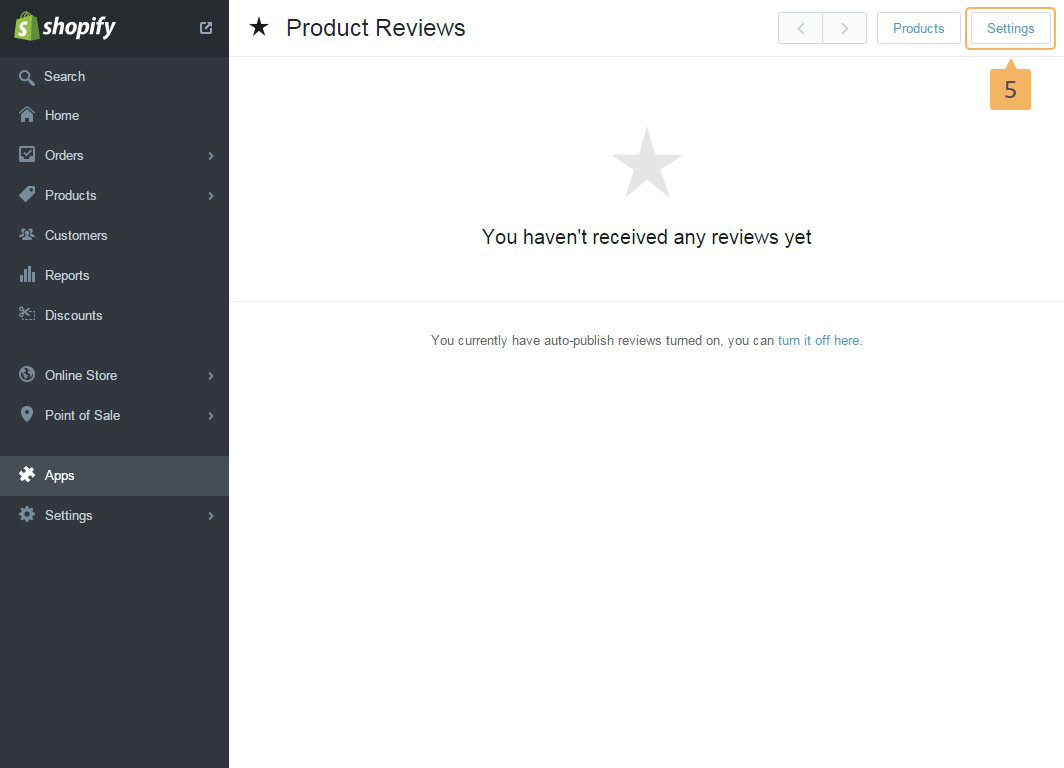
- To export/import reviews, change text for reviews forms, reviews headings and other settings click on 'Settings' button (Fig. 1.9 - [ 5 ])
More information how to work with Product Reviews App is in Shopify Manual