Sale Badge
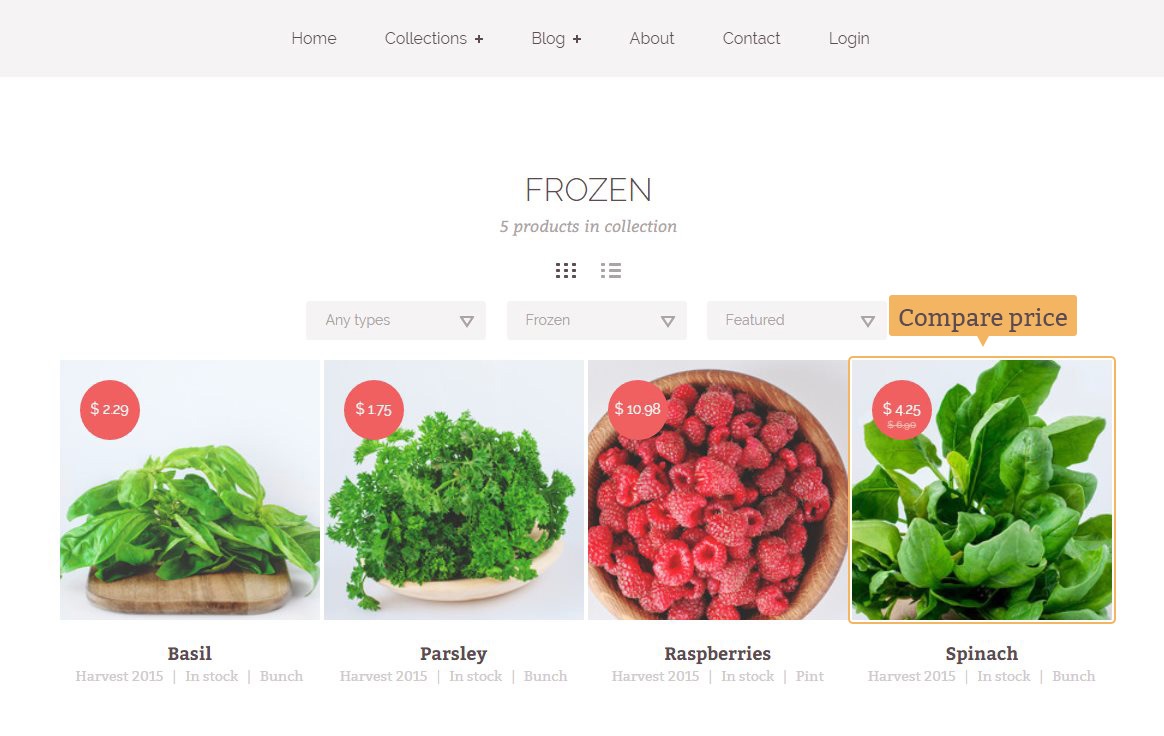
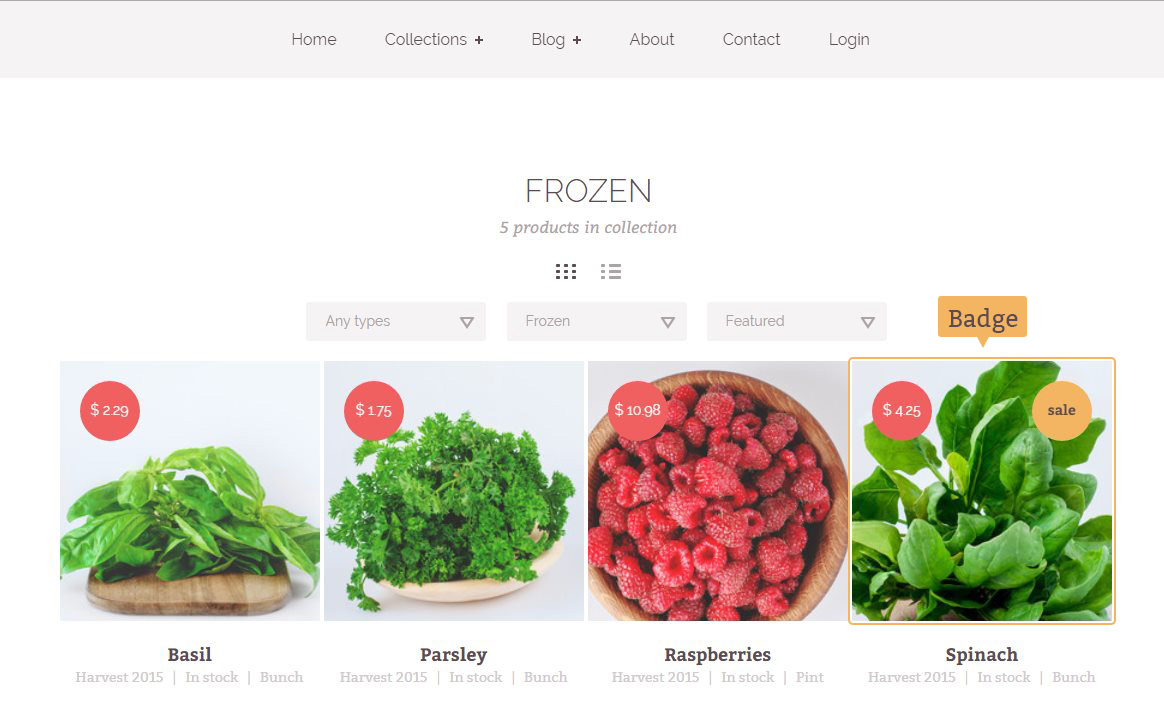
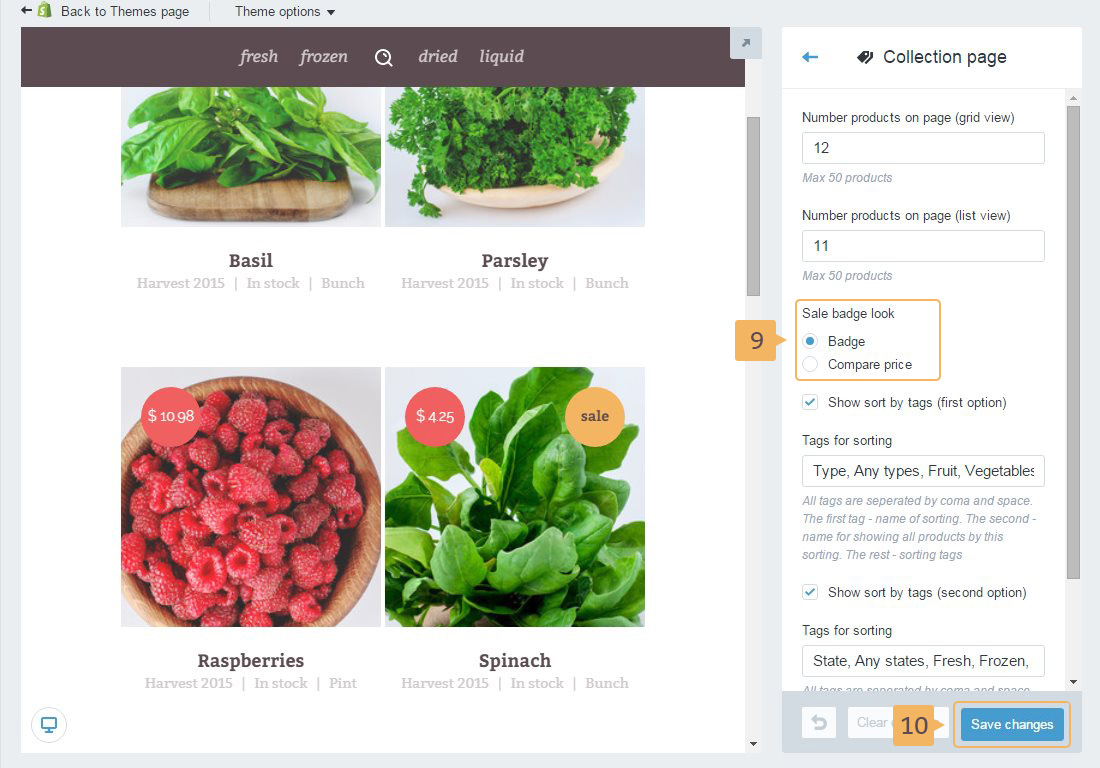
Foodly theme allows to select one of two sale badges for the product. The look of those badges is shown in Fig. 3.15 (compare two prices) and Fig. 3.16 (sale badge). Before adding any badge you need to make original product a sale product.
To make sale product, please, go through the following steps:
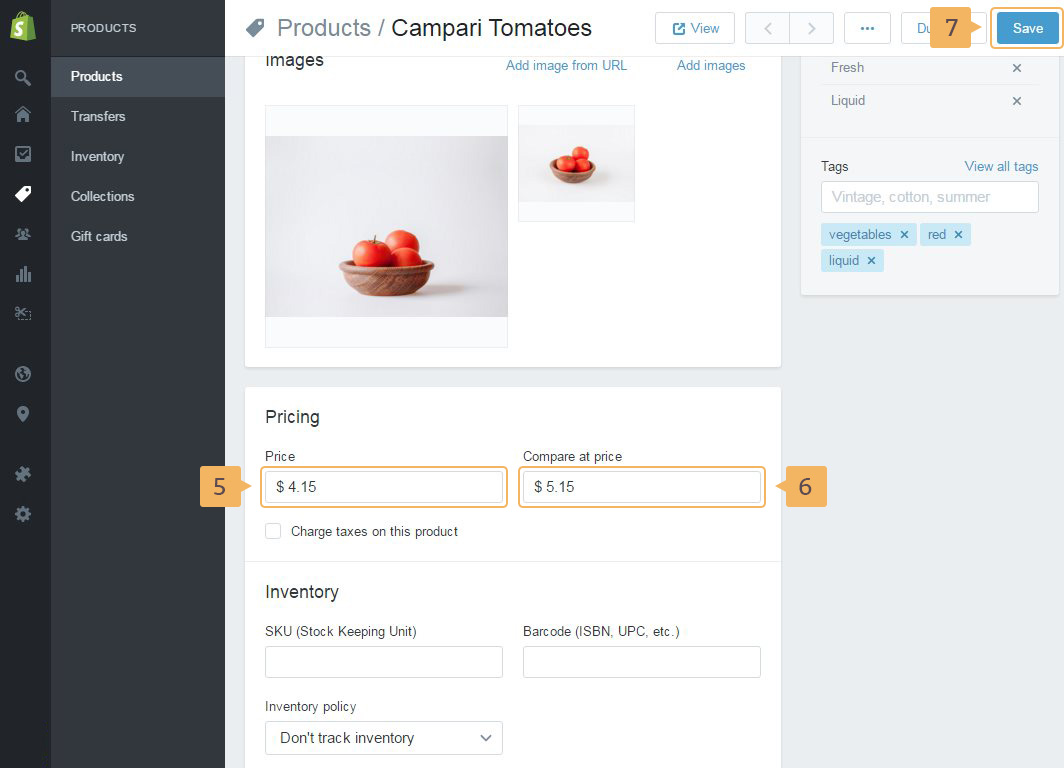
- Open the product (Fig. 3.6 - [ 1 ] - [ 3 ] ) or add a new product (Fig. 3.6 - [ 1 ] - [ 2 ], [ 4 ])
- In 'Pricing' section (below images) type product price and compare price (Fig. 3.17 - [ 5 ] - [ 6 ]).
Notice! 'Compare price' should be higher than the product price
- Click 'Save' button (Fig. 3.17 - [ 7 ])
Additional instruction how to make your product a sale product read in Shopify help guide.
Choosing badge type:
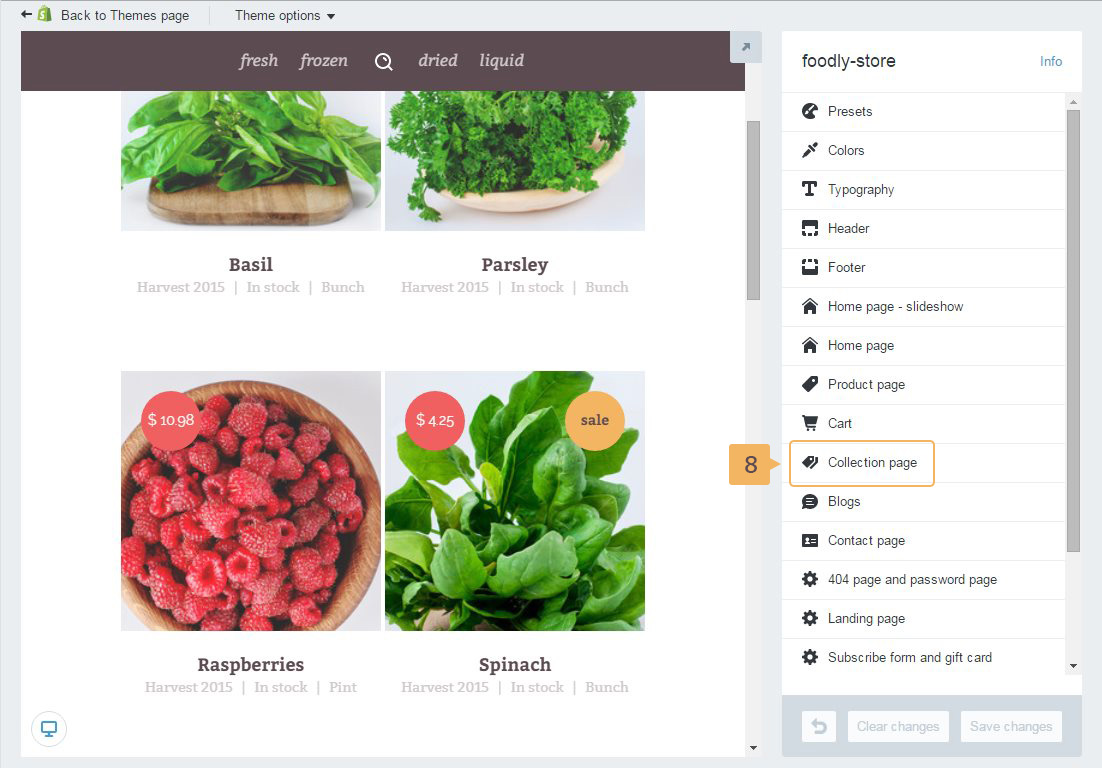
- Open customize theme panel. Go to 'Online store' > 'Themes' > 'Customize theme' (Fig. 2.10).
- Choose 'Collection page' (Fig. 3.18 - [ 8 ])
- Select the type of the sale badge (Fig. 3.19 - [ 9 ])
- Save changes (Fig. 3.19 - [ 10 ])