Currency
List of Content
- Preface. Background of Foodly Theme Development 0
- Marketing. Foundation of Selling Online 1
- Content. Key to More Sales & Profit 2
- Audience. Backbone of Personalized Shopping Experience 3
- Conversion Rate. Foundation to Estimation of Success 4
- Getting Started with Foodly Theme 5
- Setting Up Navigation 6
-
Working with Products
12
- Working with Products
- Adding New Product to Store
- Adding "Nutritional Value" to Product Description
- Adding Product to Collection
- Product Images
- Product Type (Harvest 2014 and etc.)
- Product Tags
- Sale Badge
- Special Product Size
- How to Change Product Page Link
- Product Packaging
- Product Builder
- Product Pack
- Managing Collections 24
- Handling Pages 29
- Running Blog 36
- Processing Gift Card 44
-
Adjusting Theme Settings
45
- Adjusting Theme Settings
- Presents
- Colors
- Typography
- Header
- Footer
- Home Page Slideshow
- Home Page
- Product Page
- Shopping Cart
- Collection Page
- Blogs
- Contact Page
- 404 page and password page
- Wishlist
- Search
- Lookbook Page
- Landing page
- Subscription of Your Store
- Notification button
- Shipping Rates Calculator
- Currency
- Checkout
- Setting Up Third-party Tool 67
- Acknowledgment 74
Currency
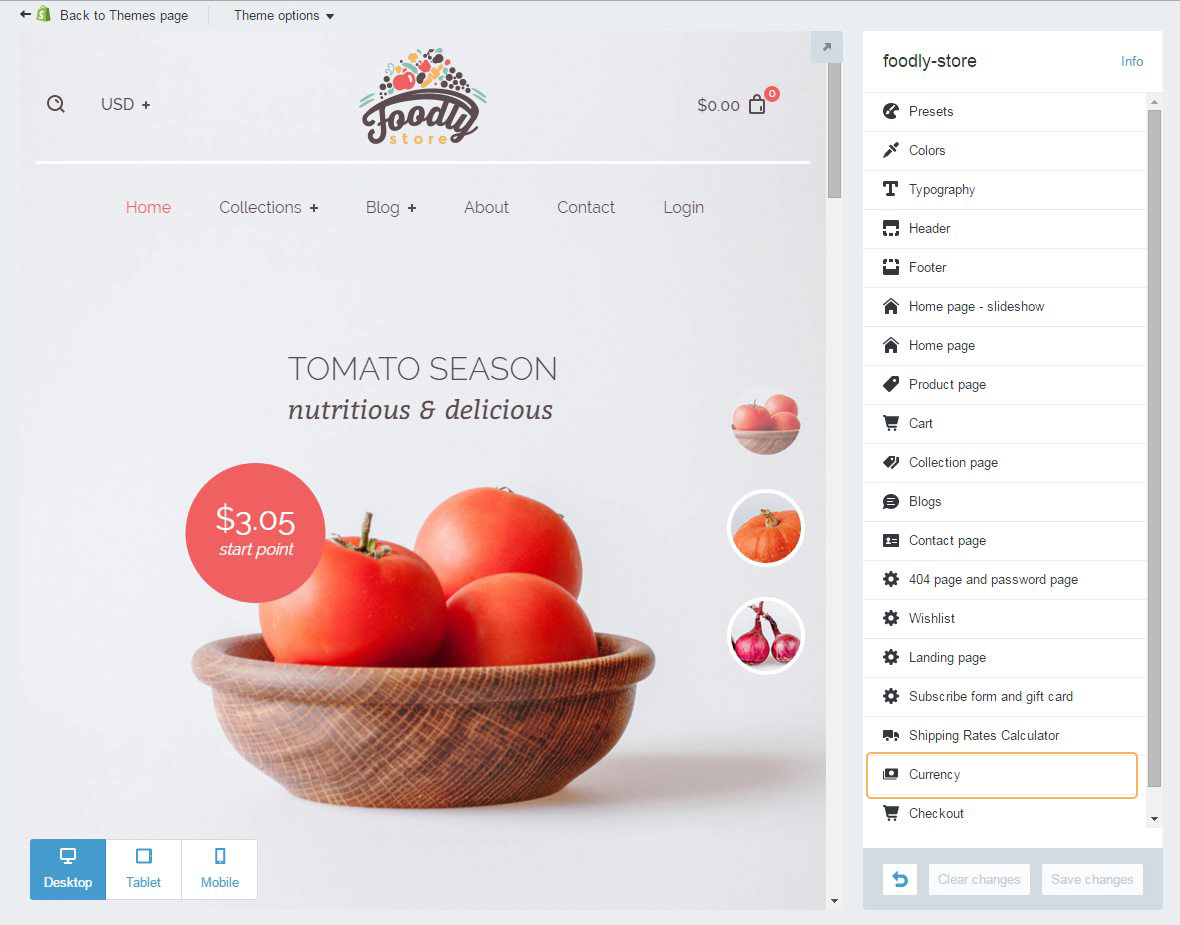
If you are selling abroad and your customers are using currency that differs from yours, you might be interested in adding an option to change them. If it is your case, you can enable currency select in 'Currency' section of 'Theme Settings'.
Notice! Checkout transaction can only be shown in the operating currency of your store, which should be specified in Standards and formats section of admin panel ('Settings' > 'General' > section 'Standards and formats'). You also need to be aware of exchange rate specifics of any Shopify theme. Exchange rates used by Shopify are refreshed twice a day based on the rates at xe.com. Although rates are automatically scheduled to be updated at 00:00 GMT and 07:00 GMT, the updates might take place up to a couple of hours after their scheduled time.
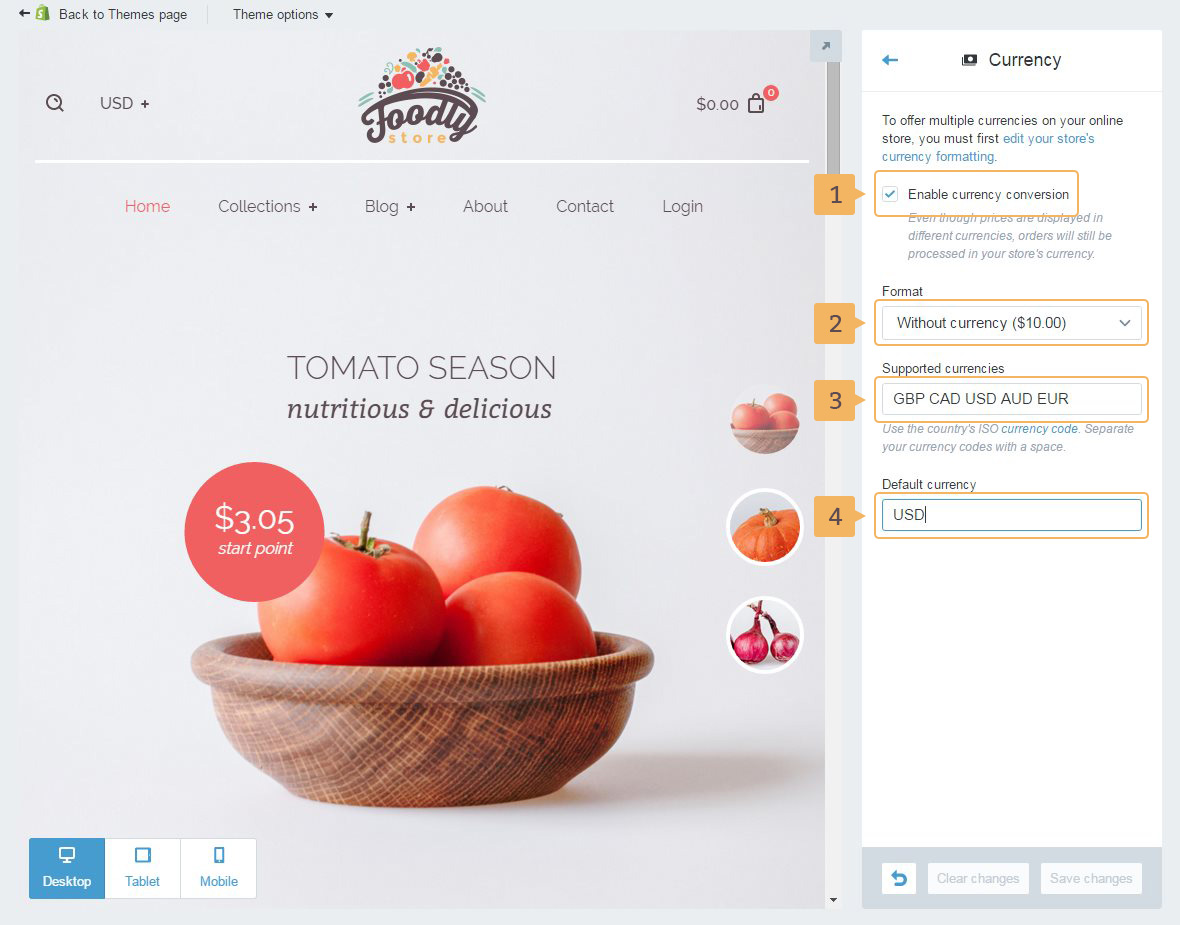
Working with 'Currency' section, you may:
- Enable/disable the currency conversion (Fig. 21.2 - [ 1 ]).
- Choose format of currency (Fig. 21.2 - [ 2 ]).
- Set currency for your store (Fig. 21.2 - [ 3 ]).
- And set default currency (Fig. 21.2 - [ 4 ]).